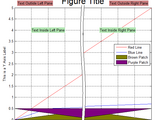
Splits the x-axis into 2 disjoint regions in order to hide an uninteresting portion of a figure.
of tick marks.6.) Obeys ‘Layer’ property7.) Works with semilogy plots and with either axis reversed8.) Can resize after splitting axis8.) Possible to unsplit axisLimitations1.) No support for semilogx
- 10.9K (All time)
- 20 (Last 30 days)
- 4.7 / 5
- Community
-
6 Aug 2013
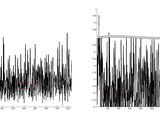
Splits the y axis hiding values within a given range
breakyaxis([minYvalue,maxYvalue])Splits the y axis into two separate regions to avoid unnecessary blank space. The split interval is determined by the y-axis values minYvalue and
- 15.9K (All time)
- 60 (Last 30 days)
- 4.5 / 5
- Community
-
6 Mar 2014

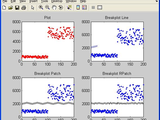
Produces a plot who's y-axis skips to avoid unecessary blank space.
look torn in the broken space if break_type='Patch' the plot will have a more regular, zig-zag tear if break_plot='Line' the plot will merely have some hash marks on the y-axis to
- 15.6K (All time)
- 30 (Last 30 days)
- 4.6 / 5
- Community
-
1 Jul 2003
Breaks the Y-axis so that the x-axis will cross the y-axis at 0 and continues at any number
This routine just adds 2 yTicks at the bottom of the y-axis First added ytick will be assigned 0 Second y-tick are two almost horizontal lines to break up the y-axis
- 2.6K (All time)
- 6 (Last 30 days)
- 5.0 / 5
- Community
-
10 Dec 2008

Breaks the x or y axis.
MATLAB function to add an axis break to a plot.CAUTION: break is only aesthetic. Does not alter the plotted data.
- 3.1K (All time)
- 4 (Last 30 days)
- 3.7 / 5
- Community
-
21 Jun 2015

Root Locus Analysis and Parameter Calculation Tool
This MATLAB program performs plots, poles/zeros, asymptotes, Angle of Departure and Arrival, Imaginary Axis Crossing and break in/away point
asymptotes.Breakaway and Break-in Points: Determines points where roots diverge or converge on the real axis.Angle of Departure and Arrival: Calculates these angles for complex poles and zeros.Imaginary Axis Crossing
- 239 (All time)
- 18 (Last 30 days)
- 5.0 / 5
- Community
-
28 Dec 2024

BreakAxisandZoom(xx,yy,startA,stopA,startErase_before,stopErase_after,width)
The function BreakAxisandZoom helps users to analyze a portion of high frequency periodic data.
The function BreakAxisandZoom helps users to analyze a part of high frequency periodic data by setting break points on X-axis of the plot by the user. For example, given a sinusoidal plot of very
- 33 (All time)
- 1 (Last 30 days)
- -- / 5
- Community
-
8 Apr 2017
Produces a plot who's y-axis skips to avoid unnecessary blank space
Produces a plot who's y-axis skips to avoid unecesary blank spaceReplaces BREAKAXIS
- 16.7K (All time)
- 13 (Last 30 days)
- 5.0 / 5
- Community
-
12 Nov 2008
3D Rotation about Shifted Axis
Computes/applies rotation about arbitrary 3D line.
Generates the roto-translation matrix for the rotation around an arbitrary line in 3D. The line need not pass through the origin. Optionally, also, applies this transformation to a list of 3D
- 6.7K (All time)
- 8 (Last 30 days)
- 5.0 / 5
- Community
-
4 Apr 2021

Inserts < // > into a 'broken' or discontinuous x-axis.
h=BreakXAxis(x,y,start,stop,width) plots (x,y) and breaks the plot's x-axis between and , by inserting a broken-axis symbol < // > into a space wide. This type of plot is often used in
- 14.1K (All time)
- 37 (Last 30 days)
- 4.5 / 5
- Community
-
8 Jul 2003

Piecewise linear least square fit
Fit experimental data with linear piecewise continuos function with given x-axis break points.
Generates 1-D look-up table (LUT) optimal (least-square sense with continuity constraint) y-axis points from experimental (x,y) data given a vector of x-axis break points.Note that x-axis break
- 5.6K (All time)
- 3 (Last 30 days)
- 4.9 / 5
- Community
-
22 Mar 2013
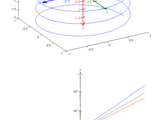
oaxes - central axis lines through an origin
Draw central axis lines through an origin point.
, analogous to normal axes properties, that give control over the oaxes object's appearance. In addition, various oaxes-specific properties give the user control over features such as arrows at the axis ends
- 6K (All time)
- 1 (Last 30 days)
- 4.9 / 5
- Community
-
7 Aug 2012

1D Shallow Water Equations Dam Break
Solves the 1D Shallow Water Equations for a Dam Break scenario
(James Adams) in 2014. Uses Dam Break conditions (initial water velocity is set to zero). A choice of either zero gradient (water flows out of the domain) or reflective boundary conditions is given.Plots
- 2.3K (All time)
- 5 (Last 30 days)
- 5.0 / 5
- Community
-
6 May 2014

phymhan/matlab-axis-label-alignment
Align axis labels nicely in parallel with axes in MATLAB (3-D) plots.
$, $y$ and $z$ labels to the direction of their corresponding axes and moves the labels to a proper distance from the axes;- `align_axislabel_log`: supports log-scale in $z$ axis;- `axislabel_rotation
- 7.5K (All time)
- 10 (Last 30 days)
- 4.4 / 5
- Community
-
23 Dec 2017

breaking the x axis
breaking the x axis also you can convert it to break y axis, easly.a = .1:.01:10;b= sin(a);subplot(2,1,1);plot(a,b)graphic2 = gca;subplot(2,1,2);BreakXAxisv2(a',b',2,7,graphic2)
- 226 (All time)
- 1 (Last 30 days)
- 1.0 / 5
- Community
-
21 Sep 2018

Returns the position of a plotted axis region
axis, which may differ from the actual axis position, depending on the axis limits, data aspect ratio, and plot box aspect ratio. The position is returned in the same units as the those used to define
- 5.3K (All time)
- 5 (Last 30 days)
- 4.9 / 5
- Community
-
23 Sep 2021

Scanning timeseries for piecewise constant segments
false-positive detections. If called with no arguments, the function generates a 1e5 data point test data set with 20 random segments, searches and displays results. Outputs: breaks = indices of break points in
- 240 (All time)
- 1 (Last 30 days)
- 5.0 / 5
- Community
-
15 May 2017

samexaxis (nice subplots with same x axis)
Makes it alot easier to make nice figures with the same x axis.
subplots that have common x axises USAGE: samexaxis([optionalarguments]) Optional arguments: * YAxisLocation (default='left') : choose left,right, alternate or alternate2 * XAxisLocation
- 13.8K (All time)
- 2 (Last 30 days)
- 4.4 / 5
- Community
-
29 Mar 2005

Convolution in Digital Signal Processing
Interactive courseware module that addresses common foundational-level concepts taught in signal processing courses.
# Convolution in Digital Signal Processing[
Axis_Prunelabels -- clean up redundant axis labels
Minimizes redundant axis labels in a grid of subplots
AXIS_PRUNELABELS takes a figure with a grid of subplots (created using either SUBPLOT or custom AXES commands), and (a) forces all the subplots to have the same axis limits, and (b) turns off axis
- 2.1K (All time)
- 1 (Last 30 days)
- 4.5 / 5
- Community
-
1 Sep 2016
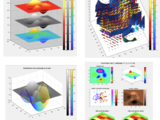
Use multiple colormaps per figure or axis! Works for many types of objects, not only images.
freezeColors/unfreezeColorsfreezeColors allows multiple colormaps to be used per figure and even within a single axis.HistoryIn 2005 freezeColors was written to enable multiple colormaps in a single
- 51.5K (All time)
- 28 (Last 30 days)
- 4.7 / 5
- Community
-
25 Jul 2022
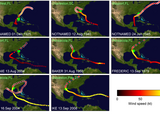
Use HTML jargon for multi axis layout.
SUBAXIS Create axes in tiled positions. (just like subplot) Usage: h=subaxis(rows,cols,cellno[,settings]) h=subaxis(rows,cols,cellx,celly[,settings
- 29.2K (All time)
- 20 (Last 30 days)
- 4.8 / 5
- Community
-
9 Jul 2014
Zoom mode (h-axis, y-axis or both axis) set by mouse position
Switch between vertical/horizontal/both axis zoom mode by moving the mouse above the figure.
In a matlab figure, in order to switch between vertical axis zooming and horizontal axis zooming, the user must click on Tools/Option/..., or right-click on the figure and to chose the zoom mode
- 106 (All time)
- 4 (Last 30 days)
- 5.0 / 5
- Community
-
3 May 2017

This is a 2D vresion of Plot3AxisAtOrigin, which may be used to plot axis at origin.
PlotAxisAtOrigin Plot 2D axes through the origin. It is a 2D version of Plot3AxisAtOrigin written by Michael Robbins. Have fun!
- 15.9K (All time)
- 2 (Last 30 days)
- 3.4 / 5
- Community
-
22 Mar 2006

Generate cylinder with custom axis
Forms the unit cylinder given a symmetry axis and a generator curve
) forms the unit cylinder based on the symmetry axis D and the generator curve in the vector R. Vector R contains the radius at equally spaced points along the unit height of the cylinder. D is a vector
- 725 (All time)
- 1 (Last 30 days)
- 5.0 / 5
- Community
-
6 Aug 2017
EMG functions and classification methods for prosthesis control - Joseph Betthauser
EMG DSP functions, classifiers, and miscellaneous
easy to perform, and some are based on my research. Most, if not all, have been optimized for speed and efficient data management. Description on how to use folder for classification in MATLAB is
- 977 (All time)
- 6 (Last 30 days)
- 5.0 / 5
- Community
-
24 Jun 2018

MATLAB files for Exercises Solving ODEs in MATLAB
Solving ODEs in MATLAB is a video series available on the MathWorks web site at http://www.mathworks.com/videos/series/solving-odes-in-matlab-117658.html. Learn about the MATLAB ODE suite and try a
- 14.4K (All time)
- 18 (Last 30 days)
- 4.8 / 5
- Community
-
26 May 2017

PLOTYYY - Extends plotyy to include a third y-axis
PLOTYYY builds upon plotyy to include a third y-axis. It also provides an easy way of labelling all three y-axes at once.
- 31.7K (All time)
- 32 (Last 30 days)
- 4.6 / 5
- Community
-
14 Nov 2001

PECUZAL embedding algorithm for Matlab
This is the PECUZAL implementation for Matlab. An automated approach for attractor reconstruction of uni- and multivariate datasets.
- 137 (All time)
- 1 (Last 30 days)
- 5.0 / 5
- Community
-
14 Aug 2023

Rodrigues' axis-angle rotation
The script shows how to rotate vectors in space about an axis through the origin as well as any arbitrary axis
Includes 2 code blocks. The first one uses the Rodrigues' formula to rotate a vector in space around an axis. The second block can be used to perform rotations about an arbitrary axis 1) Rotates a
- 439 (All time)
- 2 (Last 30 days)
- 5.0 / 5
- Community
-
3 Jan 2020
Numerical computation with functions
”. The foundations are described, with Chebfun examples, in the book Approximation Theory and Approximation Practice (L. N. Trefethen, SIAM 2013). Chebfun has extensive capabilities for dealing with linear
- 11.3K (All time)
- 85 (Last 30 days)
- 4.9 / 5
- Community
-
1 Aug 2024
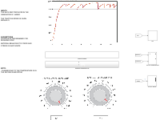
Electrical breaking roller simulation using matlab
roller simulation on matlab
automatically breaks after reaching the limited speed(MORE NOTES ARE PROVIDED INSIDE MODEL)
- 48 (All time)
- 1 (Last 30 days)
- 5.0 / 5
- Community
-
13 Aug 2019
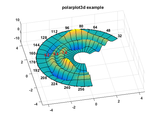
Plots 3d polar data with polar axis and polar grid
this to a compass style plot with zero degrees along the +Y axis and increasing angles going clockwise around the pole.Default surface coloring is according to the values in Zp. This can be changed by
- 25.6K (All time)
- 15 (Last 30 days)
- 4.9 / 5
- Community
-
4 Mar 2016
MVTec Halcon function mex-wrapper
MVTec Halcon (12) is an image processing library used in machine vision applications. At Decom.nl we use both Halcon and Matlab together. Therefor we wrapped all Halcon operators into Matlab
- 1.1K (All time)
- 2 (Last 30 days)
- 4.7 / 5
- Community
-
31 Jan 2017

Multi-Dimensional Data Visualization
dimensions for the analysis,- display the data in images or maps dynamically linked to graphs, so as to identify trends.
- 589 (All time)
- 1 (Last 30 days)
- 5.0 / 5
- Community
-
20 Jun 2024

- 2.8K (All time)
- 5 (Last 30 days)
- 4.9 / 5
- Community
-
11 Apr 2017
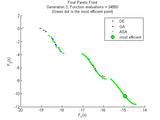
GODLIKE - A robust single-& multi-objective optimizer
GODLIKE combines 4 global optimizers for both single/multi-objective optimizations
single and multi-objective optimizer), AND to generate simple plots to be used in quick reports etc.BASIC EXAMPLES:(single-objective)% extended Rosenbrock functionrosen = @(X) sum( 100*(X(:, 2:2:end) - X
- 10.8K (All time)
- 4 (Last 30 days)
- 4.8 / 5
- Community
-
2 May 2020

- 36.8K (All time)
- 56 (Last 30 days)
- 4.4 / 5
- Community
-
7 Jul 2016

Adjust error bars width in an errorbar plot to a ratio of the x-axis or a length (x-axis units).
fine.ERRORBAR_TICK(H,W,'UNITS') adjust the width of error bars with handle H. The input W is given in the units of the curent x-axis.
- 12.8K (All time)
- 1 (Last 30 days)
- 4.9 / 5
- Community
-
6 Feb 2009

Add multiple X or Y axes to plots, rescale data, use any function, add data tips, zoom, flexible.
inspired by AddAxis 5 by Harry Lee Check the example.m file for some quick tips.If you find any bugs or have suggestions please write in the comments box or message me. If the submission was helpful, then
- 2.2K (All time)
- 3 (Last 30 days)
- 3.7 / 5
- Community
-
9 Dec 2015

Schrodinger's equation in the 1-dimensional potential well
Using the finite-difference method to solve Schrodinger's equation in the 1-dim potential well.
If we want to know the wave function how to distribute in the quantum well, then we can calculate the Schrodinger equation to get the eigen-energy in the potential well. Here, we only consider the
- 2K (All time)
- 197 (Last 30 days)
- 5.0 / 5
- Community
-
13 May 2020

XYrotalabel - rotate X-axis and Y-axis labels
Very simple reliable script giving simple control over label rotation with higher stability
alternatives downloaded.It works on full figures and subplots, and more control over scaling can be obtained by using subplot in combination with XYrotalabel.It assumes axes are bottom and left and aligns the
- 1.8K (All time)
- 1 (Last 30 days)
- 5.0 / 5
- Community
-
12 Jan 2016
Two Methods for Breaking Data Dependency Loops in System Level Models
Methods for removing data dependencies with a minimum number of blocks
. This paper focuses on how to easily and systematically break these loops.Two methods are covered in this paper, using function-call subsystems and unit delay blocks. Both of these methods can be used to
- 1.3K (All time)
- 1 (Last 30 days)
- 5.0 / 5
- Community
-
1 Sep 2016

FOMCON toolbox for MATLAB is dedicated to fractional-order modeling and control of dynamic systems.
- 21.1K (All time)
- 186 (Last 30 days)
- 4.6 / 5
- Community
-
25 Nov 2022

Joystick Adaptor 4 axis & Buttons
Access to the installed Joysticks from MATLAB.
The Joystick Adaptor 4 axis & Buttons is an upgrade of Roberto Waissman's Joystick Adaptor for two axis only. It allows access to installed joysticks in MS Windows operating systems based on NT
- 3.4K (All time)
- 3 (Last 30 days)
- 5.0 / 5
- Community
-
9 Nov 2005
Rotate three-dimensional vector(s) about a specified axis by a specified angle.
This is a very simple program that implements Rodrigues's rotation formula. Inputs are arrays of three-dimensional column or row vectors that are to be rotated about a specified axis by a specified
- 2.4K (All time)
- 1 (Last 30 days)
- 5.0 / 5
- Community
-
3 Jan 2012

Postprocessing in Finite Element Method
Once the finite element matrix equations are solved for field values at the nodes, in postprocessing these derived quantities are graphically displayed. To know the variation of the field variable
- 6.1K (All time)
- 5 (Last 30 days)
- 5.0 / 5
- Community
-
16 Sep 2016
- 3.9K (All time)
- 23 (Last 30 days)
- 5.0 / 5
- Community
-
15 Jul 2024

Advanced Modern Control System Theory and Design
Companion Software
This book is designed for an advanced course and is a companion volume to the introductory text, Modern Control System Theory and Design, 2e. In addition, it can serve as a text for practicing
- 5.8K (All time)
- 4 (Last 30 days)
- 4.6 / 5
- Community
-
11 Sep 2002
Break up a RINEX GPS file by a length of time
TIMESPLITRINEX splits a RINEX GPS file by time. TIMESPLIT(FILENAME,t) breaks a RINEX file into shorter files of length t in seconds. Useful for breaking a large file into days, or a day file into
- 2.9K (All time)
- 2 (Last 30 days)
- 5.0 / 5
- Community
-
30 Jul 2007

Offsets an x- or y-axis from the plotted axis area
be added in any direction.figure;ax = axes;plot(x, y1);offsetaxis(ax, 'y', 0.05, 'x', 0.05, 'yloc', 'lr', 'xloc', 'tb');Example 2: More flexible multi-axis plotsMatlab includes a few helper functions
- 436 (All time)
- 6 (Last 30 days)
- 5.0 / 5
- Community
-
30 Nov 2022

Collocation-based spectral-element toolbox
Functions and example codes for a collocation spectral-element scheme (Chebyshev or Legendre)
Following in the spirit of Trefethen’s “Spectral Methods in MATLAB”, this toolbox provides concise functions and test scripts for a collocation-based spectral-element scheme.Features include:- choice
- 2.2K (All time)
- 2 (Last 30 days)
- 5.0 / 5
- Community
-
1 Apr 2013
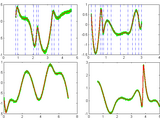
Free-knot spline approximation
Least squares approximation of 1D data using free-knots spline
The purpose of this function is to provide a flexible and robust fit to one-dimensional data using free-knot splines. The knots are free and able to cope with rapid change in the underlying model
- 6.1K (All time)
- 3 (Last 30 days)
- 4.9 / 5
- Community
-
23 Mar 2024

The STK is a (not so) Small Toolbox for Kriging
distributed in the hope that it will be useful, but WITHOUTANY WARRANTY; without even the implied warranty of MERCHANTABILITYor FITNESS FOR A PARTICULAR PURPOSE. See the GNU General PublicLicense for
- 273 (All time)
- 5 (Last 30 days)
- 5.0 / 5
- Community
-
16 Jul 2024
Tools for Processing Consecutive Repetitions in Vectors
A set of functions for labeling and manipulating groups of consecutively repeating elements in a vector.
subsets of consecutively repeating elements in a vector.EXAMPLE: To find the run lengths of consecutive non-zero elements in, >> X=[0 0 4 7 6 1 3 0 0 0 1 11 3 8 0 0 47 14];one can simply do,>>
- 154 (All time)
- 1 (Last 30 days)
- 5.0 / 5
- Community
-
25 Jan 2023

Multiple Rapidly-exploring Random Tree (RRT)
Multiple RRT implementation for mobile robot path planning or C-space manipulator motion planning
% See Usage section in RrtPlanner.m file. This is a basic example of usage:treesMax = 28; %How many multiple trees (must be at least 2, 1 for source and 1 for destinationseedsPerAxis = 3; %Number of
- 7.2K (All time)
- 4 (Last 30 days)
- 5.0 / 5
- Community
-
31 Oct 2013

allows to use both negative and positive values of Y axis on logarithmic scale
yscale_symlog applies symmetric logarithmic scale to Y axis of current axis (negative logarithmic scale at the bottom, positive logarithmic scale at the top). Handles also only positive or only
- 464 (All time)
- 3 (Last 30 days)
- 5.0 / 5
- Community
-
13 Apr 2017
LBM codes for population balance equations
Codes implementing lattice Boltzmann method for solving population balance equations
. Rajendran. Lattice Boltzmann method for multi-dimensional population balances in crystallization. Chem. Eng. Sci., 2012, 70, pp 121-134.[3] A. Majumder, V. Kariwala, S. Ansumali, A. Rajendran. Lattice
- 1.3K (All time)
- 3 (Last 30 days)
- 4.5 / 5
- Community
-
3 Jun 2015

- 269 (All time)
- 2 (Last 30 days)
- 5.0 / 5
- Community
-
13 Jun 2018
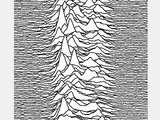
joyPlot - Ridgeline data representation
Plot several datasets in a single axis using the ridgeline representation.
This function plots the given datasets in a single figure and axis, and resembling the cover of Joy Divisions' Unknown Pleasures by Peter Saville (and in many other newspapers, journals, etc.).The
- 1.7K (All time)
- 9 (Last 30 days)
- 5.0 / 5
- Community
-
23 Apr 2020

