View and Align Multiple Sequences
R2026bOverview of the Sequence Alignment App
The Sequence Alignment app integrates many sequence and multiple alignment functions. Use the app to inspect sequence alignments, view the consensus sequence information, export consensus or alignments to a file or MATLAB® workspace, and generate a phylogenetic tree from aligned sequences.
Visualize Multiple Sequence Alignment
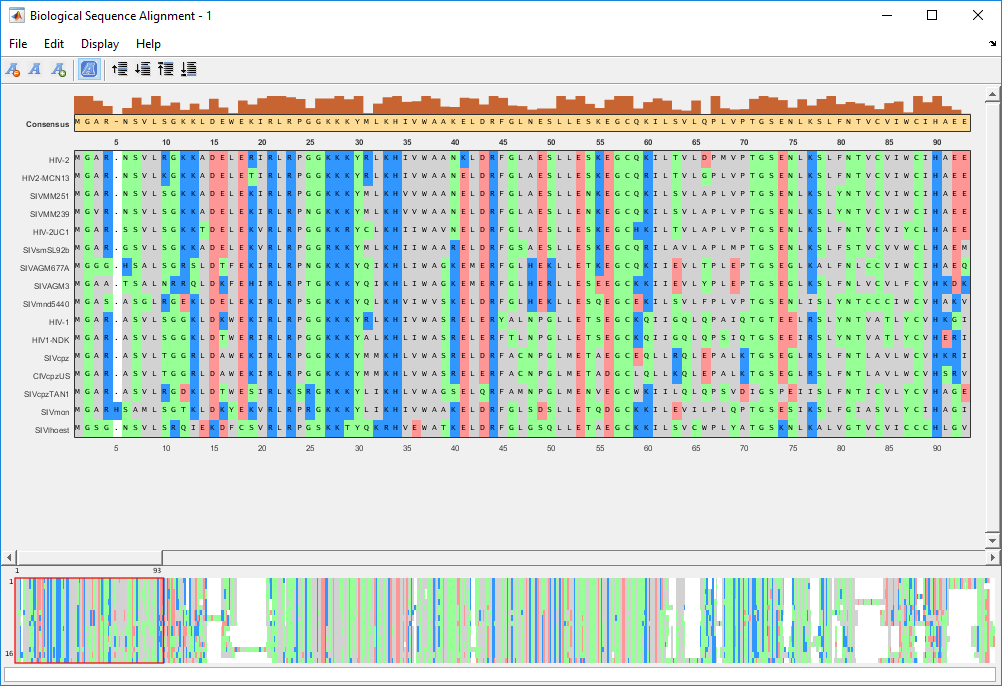
Read a multiple sequence alignment file of the gag polyprotein for several HIV strains.
gagaa = multialignread('aagag.aln')View the aligned sequences in the Sequence Alignment app.
seqalignviewer(gagaa);
Rearrange Rows
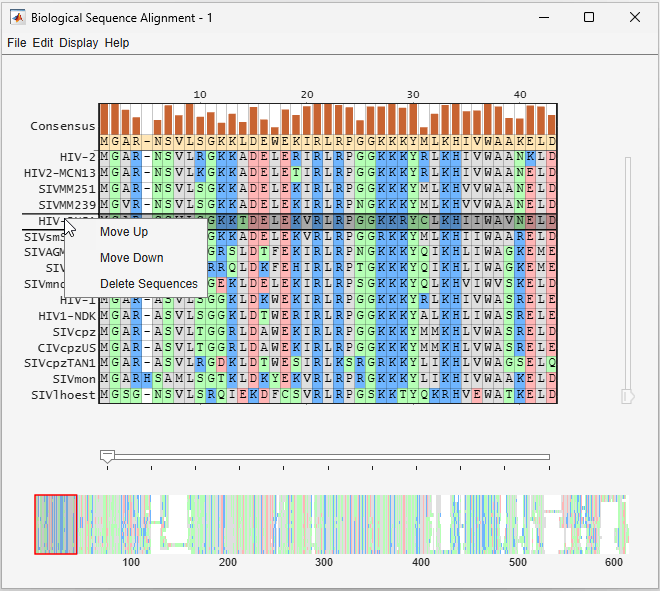
You can move the rows (sequences) up or down by one row or delete the row. Select a row and then right-click the name of the sequence to see the context menu options.
Generate Phylogenetic Tree from Aligned Sequences
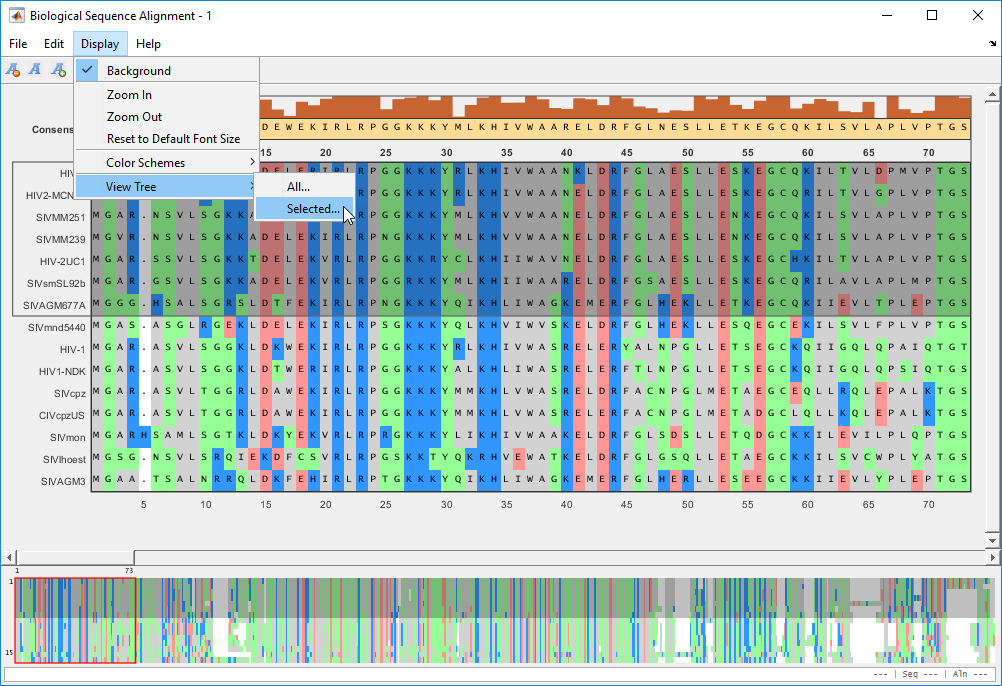
The app lets you generate a phylogenetic tree using the aligned sequences from within the app. You can select a subset of sequences or use all the sequences to generate a tree.
Select the first few rows of sequences. Then select Display > View Tree > Selected to generate a tree from selected sequences.
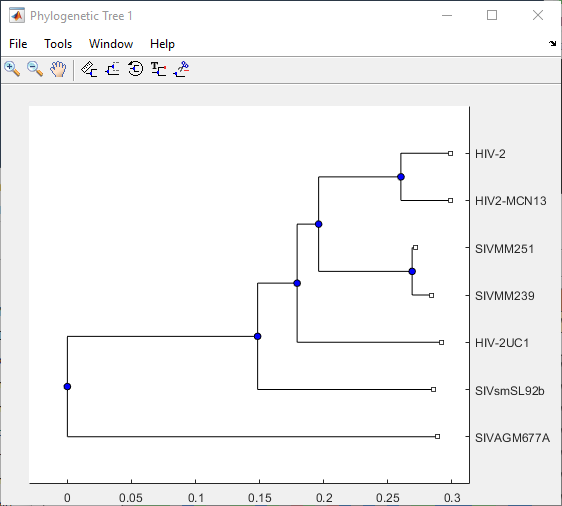
A phylogenetic tree for the sequences is displayed in the Phylogenetic Tree app. For details on the app, see Using the Phylogenetic Tree App.
See Also
seqalignviewer | Sequence Alignment | Genomics
Viewer

