Main Content

sim

Simulate trained reinforcement learning agents within specified environment

Description

experience = sim(env,agents) simulates one or more reinforcement learning agents within an environment, using default simulation options.

example

experience = sim(agents,env) performs the same simulation as the previous syntax.

env = sim(___,simOpts) uses the simulation options object simOpts. Use simulation options to specify parameters such as the number of steps per simulation or the number of simulations to run. Use this syntax after any of the input arguments in the previous syntaxes.

Examples

collapse all

Simulate a reinforcement learning environment with an agent configured for that environment. For this example, load an environment and agent that are already configured. The environment is a discrete cart-pole environment created with rlPredefinedEnv. The agent is a policy gradient (rlPGAgent) agent. For more information about the environment and agent used in this example, see Train PG Agent with Custom Actor Network to Balance Discrete Cart-Pole.

rng(0) % for reproducibility
load RLSimExample.mat
env
env = 
  CartPoleDiscreteAction with properties:

                  Gravity: 9.8000
                 MassCart: 1
                 MassPole: 0.1000
                   Length: 0.5000
                 MaxForce: 10
                       Ts: 0.0200
    ThetaThresholdRadians: 0.2094
               XThreshold: 2.4000
      RewardForNotFalling: 1
        PenaltyForFalling: -5
                    State: [4×1 double]

agent
agent = 
  rlPGAgent with properties:

            AgentOptions: [1×1 rl.option.rlPGAgentOptions]
    UseExplorationPolicy: 0
         ObservationInfo: [1×1 rl.util.rlNumericSpec]
              ActionInfo: [1×1 rl.util.rlFiniteSetSpec]
              SampleTime: 0.1000
       UseGPUForLearning: 0

Typically, you train the agent using train and simulate the environment to test the performance of the trained agent. For this example, simulate the environment using the agent you loaded. Configure simulation options, specifying that the simulation run for 100 steps.

simOpts = rlSimulationOptions(MaxSteps=100);

For the predefined cart-pole environment used in this example, you can use plot to generate a visualization of the cart-pole system. When you simulate the environment, this plot updates automatically so that you can watch the system evolve during the simulation.

plot(env)
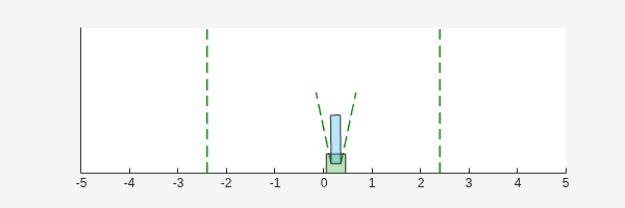
Figure Cart Pole Visualizer contains an axes object. The axes object contains 6 objects of type line, polygon.

Simulate the environment.

experience = sim(env,agent,simOpts)
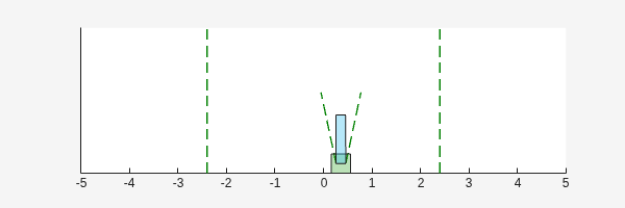
Figure Cart Pole Visualizer contains an axes object. The axes object contains 6 objects of type line, polygon.

experience = struct with fields:
       Observation: [1×1 struct]
            Action: [1×1 struct]
            Reward: [1×1 timeseries]
            IsDone: [1×1 timeseries]
    SimulationInfo: [1×1 rl.storage.SimulationStorage]

The output structure experience records the observations collected from the environment, the action and reward, and other data collected during the simulation. Each field contains a timeseries object or a structure of timeseries data objects. For instance, experience.Action is a timeseries containing the action imposed on the cart-pole system by the agent at each step of the simulation.

experience.Action
ans = struct with fields:
    CartPoleAction: [1×1 timeseries]

Simulate an environment created for the Simulink® model used in the Train Multiple Agents to Perform Collaborative Task example.

Load the file containing the agents. For this example, load the agents that have been already trained using decentralized learning.

load decentralizedAgents.mat

Create an environment for the rlCollaborativeTask Simulink model, which has two agent blocks. Because the agents used by the two blocks (agentA and agentB) are already in the workspace, you do not need to pass their observation and action specifications to create the environment.

env = rlSimulinkEnv( ...
    "rlCollaborativeTask", ...
    ["rlCollaborativeTask/Agent A","rlCollaborativeTask/Agent B"]);

It is good practice to specify a reset function for the environment such that agents start from random initial positions at the beginning of each episode. For an example, see the resetRobots function defined in Train Multiple Agents to Perform Collaborative Task. For this example, however, do not define a reset function.

Load the parameters that are needed by the rlCollaborativeTask Simulink model to run.

rlCollaborativeTaskParams

Simulate the agents against the environment, saving the experiences in xpr.

xpr = sim(env,[dcAgentA dcAgentB]);

Plot actions of both agents.

subplot(2,1,1); plot(xpr(1).Action.forces)
subplot(2,1,2); plot(xpr(2).Action.forces)
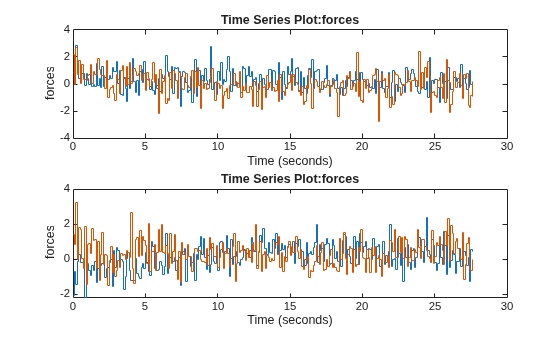
Figure contains 2 axes objects. Axes object 1 with title Time Series Plot:forces, xlabel Time (seconds), ylabel forces contains 2 objects of type stair. Axes object 2 with title Time Series Plot:forces, xlabel Time (seconds), ylabel forces contains 2 objects of type stair.

Input Arguments

collapse all

Environment, specified as follows:

  • MATLAB® environment, represented by one of the following objects.

    Among the MATLAB environments, only rlMultiAgentFunctionEnv and rlTurnBasedFunctionEnv support training more agents at the same time.

  • Simulink® environment, represented by a SimulinkEnvWithAgent object, and created using:

    • rlSimulinkEnv — This environment is created from a model already containing one or more agents block, and supports training multiple agents at the same time.

    • createIntegratedEnv — This environment is created from a model that does not already contain an agent block, and does not supports training multiple agents at the same time.

    A Simulink-based environment object acts as an interface so that the reinforcement learning simulation or training function calls the (compiled) Simulink model to generate experiences for the agents. Such an environment does not support using the reset and step functions.

Note

env is a handle object, so a function that does not return it as output argument, such as train, can still update its internal states. For more information about handle objects, see Handle Object Behavior.

For more information on reinforcement learning environments, see Reinforcement Learning Environments and Create Custom Simulink Environments.

Example: env = rlPredefinedEnv("DoubleIntegrator-Continuous") creates a predefined environment that implements a continuous-action double-integrator system and assigns it to the variable env.

Agents to simulate, specified as a reinforcement learning agent object, such as rlACAgent or rlDDPGAgent, or as an array of such objects.

If env is a multiagent environment, specify agents as an array. The order of the agents in the array must match the agent order used to create env.

For more information about how to create and configure agents for reinforcement learning, see Reinforcement Learning Agents.

Example: agent = rlPGAgent(rlNumericSpec([2 1]),rlNumericSpec([1 1])) creates the default rlPGAgent object agent.

Simulation options, specified as an rlSimulationOptions object. Use this argument to specify options such as:

  • Number of steps per simulation

  • Number of simulations to run

For details, see rlSimulationOptions.

Example: rlSimulationOptions(MaxSteps=300)

Output Arguments

collapse all

Simulation results, returned as a structure or structure array. The number of rows in the array is equal to the number of simulations specified by the NumSimulations option of rlSimulationOptions. The number of columns in the array is the number of agents. The fields of each experience structure are as follows.

Observations collected from the environment, returned as a structure with fields corresponding to the observations specified in the environment. Each field contains a timeseries of length N + 1, where N is the number of simulation steps.

To obtain the current observation and the next observation for a given simulation step, use code such as the following, assuming one of the fields of Observation is obs1. For more information, see getsamples.

Obs = getsamples(experience.Observation.obs1,1:N);
NextObs = getsamples(experience.Observation.obs1,2:N+1);
These values can be useful if you are writing your own training algorithm using sim to generate experiences for training.

Actions computed by the agent, returned as a structure with fields corresponding to the action signals specified in the environment. Each field contains a timeseries of length N, where N is the number of simulation steps.

Reward at each step in the simulation, returned as a timeseries of length N, where N is the number of simulation steps.

Flag indicating termination of the episode, returned as a timeseries of a scalar logical signal. This flag is set at each step by the environment, according to conditions you specify for episode termination when you configure the environment. When the environment sets this flag to 1, simulation terminates.

Environment simulation information, returned as:

  • An SimulationStorage object, if SimulationStorageType is set to "memory" or "file".

  • An empty array, if SimulationStorageType is set to "none".

A SimulationStorage object contains environment information collected during simulation, which you can access by indexing into the object using the episode number.

For example, if res is an rlTrainingResult object returned by train, or an experience structure returned by sim, you can access the environment simulation information related to the second episode as:

mySimInfo2 = res.SimulationInfo(2);
  • For MATLAB environments, mySimInfo2 is a structure containing the field SimulationError. This structure contains any errors that occurred during simulation for the second episode.

  • For Simulink environments, mySimInfo2 is a Simulink.SimulationOutput object containing logged data from the Simulink model. Properties of this object include any signals and states that the model is configured to log, simulation metadata, and any errors that occurred during the second episode.

A SimulationStorage object also has the following read-only properties:

Total number of episodes ran in the entire training or simulation, returned as a positive integer.

Type of storage for the environment data, returned as either "memory" (indicating that data is stored in memory) or "file" (indicating that data is stored on disk). For more information, see the SimulationStorageType property of rlEvolutionStrategyTrainingOptions and Address Memory Issues During Training.

Version History

Introduced in R2019a