Get Started with Simulink
R2026bSimulink® is a block diagram environment for multidomain simulation and Model-Based Design. It supports system-level design, simulation, automatic code generation, and continuous test and verification of embedded systems. Simulink provides a graphical editor, customizable block libraries, and solvers for modeling and simulating dynamic systems. It is integrated with MATLAB®, enabling you to incorporate MATLAB algorithms into models and export simulation results to MATLAB for further analysis.
Tutorials
- Create a Simple Model
Model a simple system in Simulink.
- Explore Model Hierarchy
Explore the hierarchy and connections in a system.
- STEP 1: System Definition and Layout
- STEP 2: Model and Validate a System
- STEP 3: Design a System in Simulink
Model-Based Design with Simulink
Use Simulink for Model-Based Design.
About Modeling and Simulation in Simulink
- Simulink Block Diagrams
Learn the basics of Simulink.
Featured Examples
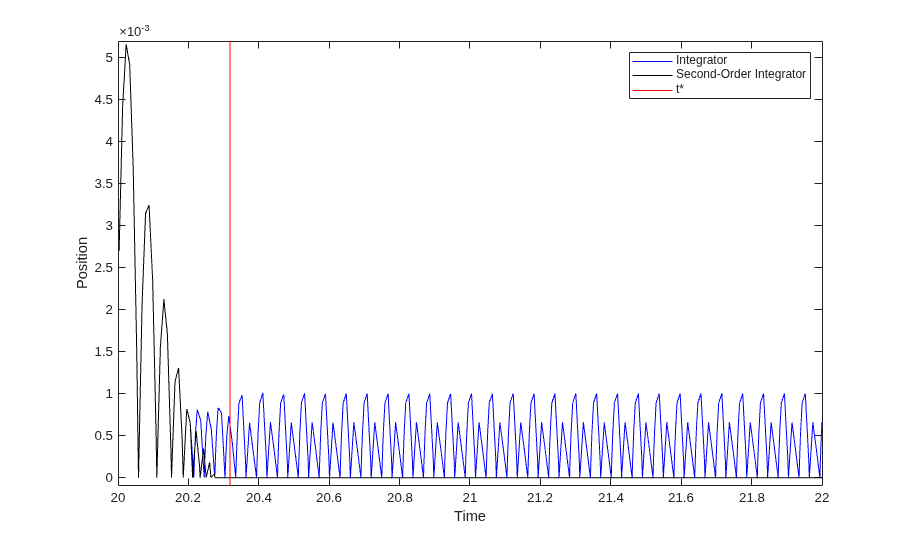
Simulation of Bouncing Ball
Uses two models of a bouncing ball to show different approaches to modeling hybrid dynamic systems with Zeno behavior. Zeno behavior is informally characterized by an infinite number of events occurring in a finite time interval for certain hybrid systems. As the ball loses energy, the ball collides with the ground in successively smaller intervals of time.
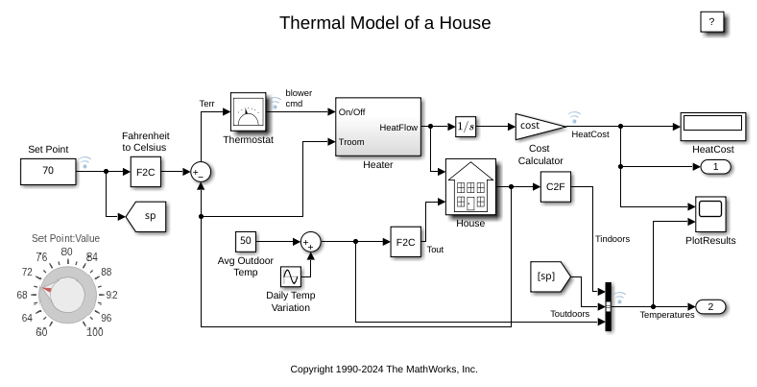
Thermal Model of a House
Use Simulink® to create the thermal model of a house. This system models the outdoor environment, the thermal characteristics of the house, and the house heating system.
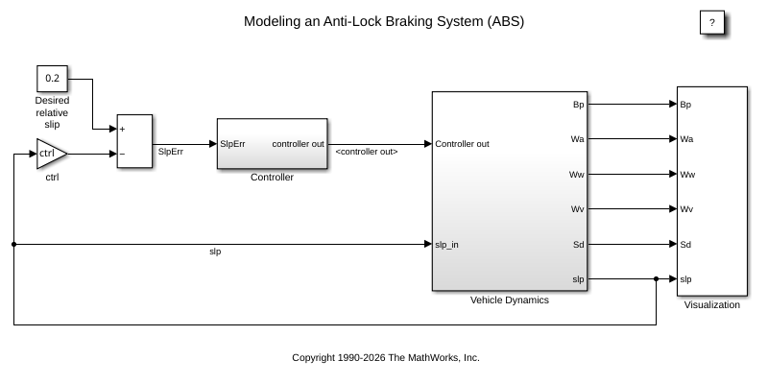
Model an Anti-Lock Braking System
Model a simple Anti-Lock Braking System (ABS). The model simulates the dynamic behavior of a vehicle under hard braking conditions. The model represents a single wheel, which may be replicated a number of times to create a model for a multi-wheel vehicle.
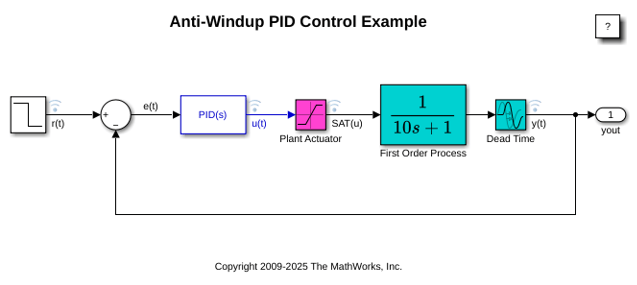
Anti-Windup Control Using PID Controller Block
Use anti-windup schemes to prevent integration wind-up in PID controllers when the actuators are saturated. The PID Controller block in Simulink® features two built-in anti-windup methods, back-calculation and clamping, as well as a tracking mode to handle more complex industrial scenarios. The PID Controller block supports several features that allow it to handle controller windup issues under commonly encountered industrial scenarios.
Interactive Learning
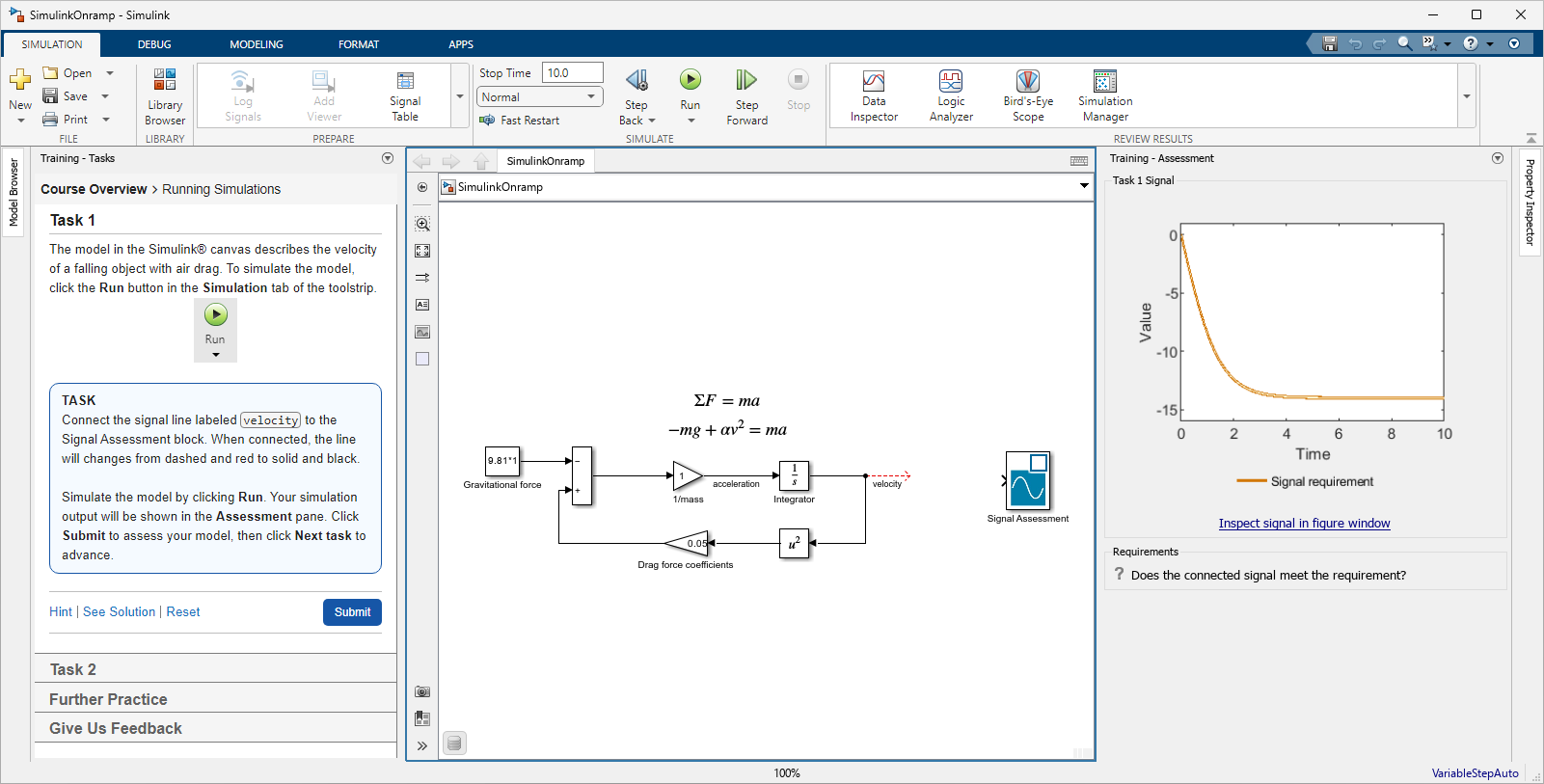
Simulink Onramp
Free, self-paced, interactive Simulink course

Simulink Online Courses
Self-paced, interactive courses for Simulink product family
Videos
Getting Started with Simulink for Controls
Model and simulate a physical system
Getting Started with Simulink for Signal Processing
Design a signal processing system using Simulink
Building and Simulating a Simple Simulink Model
Use basic blocks and modeling components
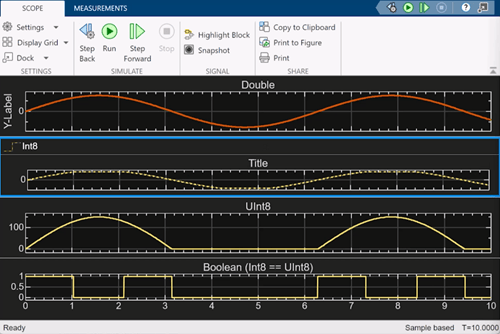
Visualize Simulation Results with Simulink Scopes
Learn how to effectively visualize signal data to explore signal
behavior and troubleshoot simulations using the Time
Scope block in DSP System Toolbox™.
Teaching Resources

Engineering Problem Solving
Learn to solve multi-disciplinary engineering problems through systems thinking.

