Model Nonlinearity Using Lookup Tables
R2026bWhen solving science and engineering problems, you often need to model nonlinearities where changes in input do not produce proportional changes in output, resulting in varying stability and equilibrium conditions. Simulink® provides a comprehensive set of lookup table blocks, objects, and tools that you can use to efficiently model nonlinearities. Lookup tables map input values of a system to its output values and store the mapped data in a table. During real-time computations, the lookup tables use the stored data to look up outputs that correspond to different inputs of a system.
You can use these lookup table blocks, objects and tools to:
Model stateless nonlinear systems by approximating mathematical functions or experimental data using lookup tables.
Simulate, analyze, and tune lookup tables within a Model-Based Design workflow.
Optimize lookup tables to balance memory usage, execution performance, and numerical accuracy.
Generate production-ready code for supported target languages with industry-standard interfaces.
For more information, see Lookup Table Overview.
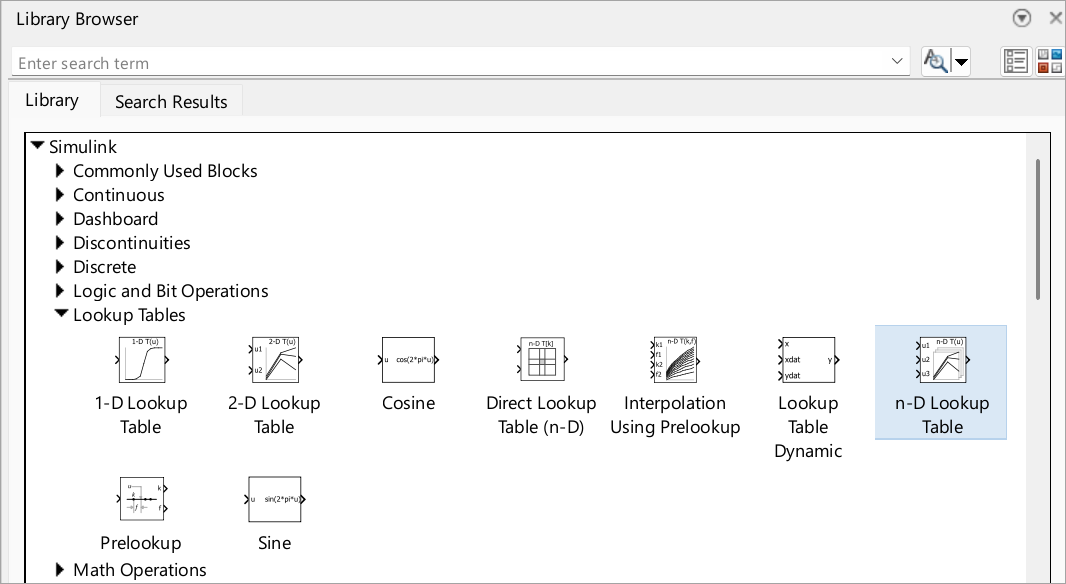
Blocks
 | 1-D Lookup Table | Approximate one-dimensional function |
 | 2-D Lookup Table | Approximate two-dimensional function |
 | n-D Lookup Table | Approximate n-dimensional function |
 | Direct Lookup Table (n-D) | Index into n-dimensional table to retrieve element, vector, or 2-D matrix |
 | Interpolation Using Prelookup | Use precalculated index and fraction values to accelerate approximation of N-dimensional function |
 | Prelookup | Compute index and fraction for Interpolation Using Prelookup block |
 | Sine, Cosine | Implement fixed-point sine or cosine wave using lookup table approach that exploits quarter wave symmetry |
Objects
Simulink.LookupTable | Store and share lookup table and breakpoint data, and configure data for ASAP2 and AUTOSAR code generation |
Simulink.Breakpoint | Store and share data for breakpoint set, and configure the data for ASAP2 and AUTOSAR code generation |
Simulink.lookuptable.Evenspacing | Configure evenly spaced breakpoint set for lookup table object |
Simulink.lookuptable.Table | Configure table data for lookup table object |
Simulink.lookuptable.Breakpoint | Configure breakpoint set data for lookup table object |
Simulink.lookuptable.StructTypeInfo | Configure settings for structure type that lookup table object uses in generated code |
Tools
| Lookup Table Editor | Create, edit, and manage lookup tables in models (Since R2022a) |
Topics
Understand Lookup Tables
- Lookup Table Overview
Learn about the anatomy and characteristics of Lookup Table blocks, objects, and tools. - Configure Lookup Table Block for Logarithmic Operation
Configure an n-D Lookup Table block for logarithmic operation with the common logarithmic base (base 10).
Use Lookup Tables to Approximate Nonlinear Systems
- Choose Lookup Table Blocks Based on Input, Breakpoint and Output Data
Select the Lookup Table block best suited for your application. - Enter Breakpoints and Table Data
Specify breakpoint vectors and table data for a lookup table. - Specify Breakpoint and Table Data with Variable Size and Symbolic Dimensions
Specify breakpoint and table data that changes size during model simulation or represented by symbolic dimensions. - Import Data to Lookup Table
Import table and breakpoint data from MATLAB® workspace and Excel® spreadsheets. - Choose Numerical Methods to Approximate Function Values
Set the method by which Lookup Table blocks approximate function values. - Optimize Lookup Tables for Memory-Efficiency (Fixed-Point Designer)
Optimize Lookup Tables using the Lookup Table Optimizer. - Use Row-Major Algorithms for Lookup Table Blocks
Use row-major algorithms for C/C++ code generation from models containing Lookup Table blocks. - Optimize Generated Code for Lookup Table Blocks
Optimize code for Lookup Table blocks.
Edit and Visualize Lookup Tables
- Edit and Visualize Lookup Table Data
View, add, delete, or update lookup table data.
Update Lookup Tables from Previous Releases
- Update Lookup Table Blocks to New Versions
Update existing models to use current versions of lookup table blocks.
Featured Examples
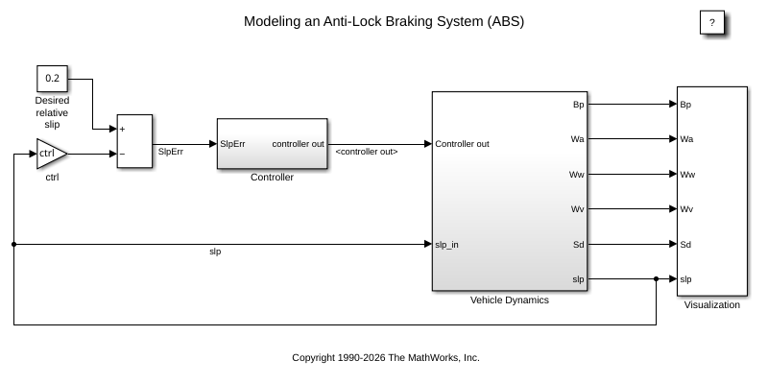
Model an Anti-Lock Braking System
Model a simple Anti-Lock Braking System (ABS). The model simulates the dynamic behavior of a vehicle under hard braking conditions. The model represents a single wheel, which may be replicated a number of times to create a model for a multi-wheel vehicle.
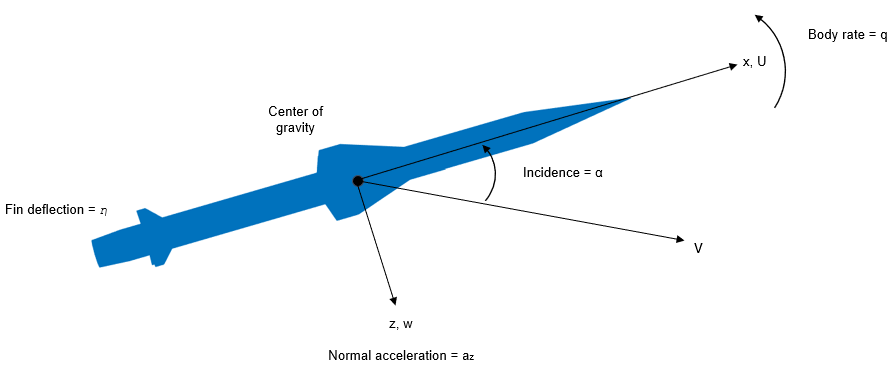
Design a Guidance System in MATLAB and Simulink
Use the model of the missile airframe presented in a number of published papers on the use of advanced control methods applied to missile autopilot design. See [1], [2], and [3]. The model represents a tail-controlled missile traveling between Mach 2 and Mach 4, at altitudes ranging between 10,000 ft (3,050 m) and 60,000 ft (18,290 m), with typical angles of attack ranging between +/- 20 degrees.
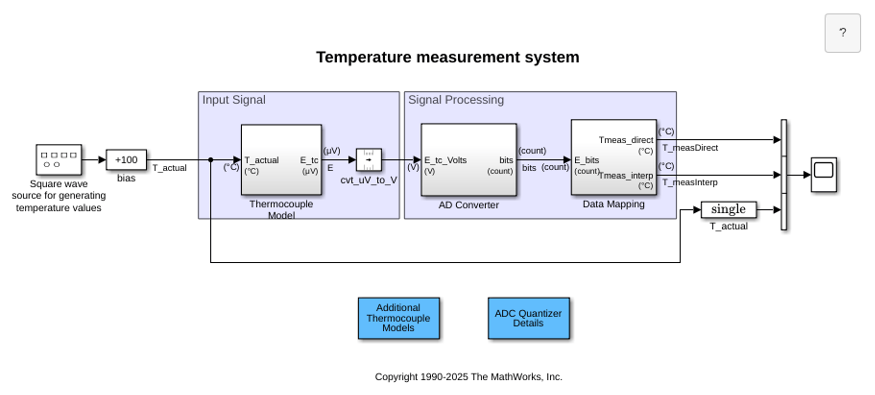
Temperature Measurement System Using Nonlinear Behavioral Data of Type S Thermocouple
Build and simulate a temperature measurement system that uses a nonlinear dataset describing the behavior of a type S thermocouple.
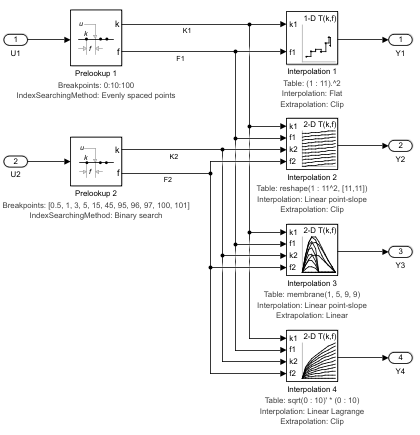
Using the Prelookup and Interpolation Using Prelookup Blocks
Use the Prelookup and Interpolation Using Prelookup blocks.
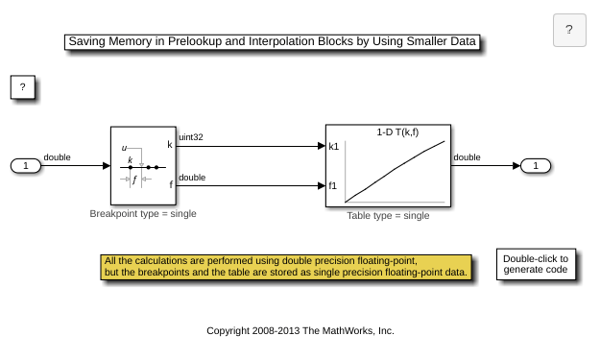
Saving Memory in Prelookup and Interpolation Using Prelookup Blocks by Using Smaller Data
Save memory in Prelookup and Interpolation Using Prelookup blocks. The Prelookup and Interpolation Using Prelookup blocks allow you to explicitly set data type for storing breakpoints and table data, respectively. The Prelookup block allows the breakpoint data to differ from the input data type, and the Interpolation Using Prelookup block allows the table data to differ from the output data type.
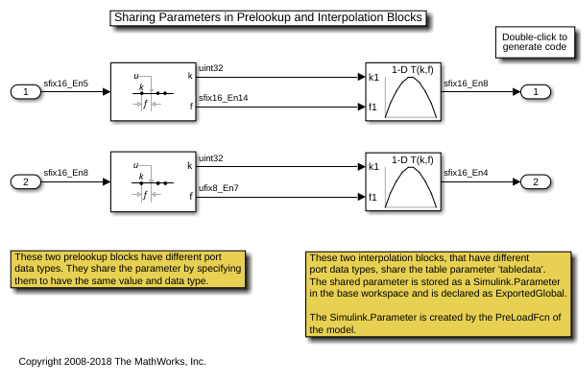
Sharing Parameters in Prelookup and Interpolation Blocks
How Prelookup and Interpolation blocks share their parameter data in generated code.
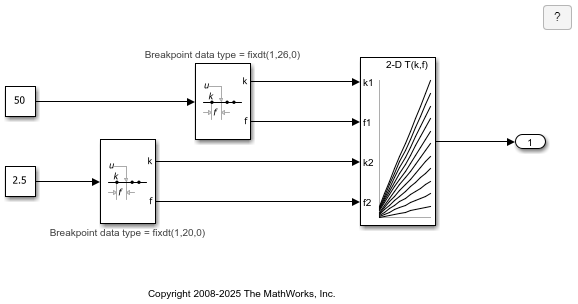
Shared Utility Functions for Prelookup Blocks
How Prelookup blocks share utility functions. The utility functions generated by the Prelookup block are determined by the target data type of the block's inputs, outputs, and breakpoint parameter, as well as the Index search method and Integer rounding mode. Even if the two Prelookup blocks have different input data type, output data type, and breakpoint data type, they use shared utility functions.
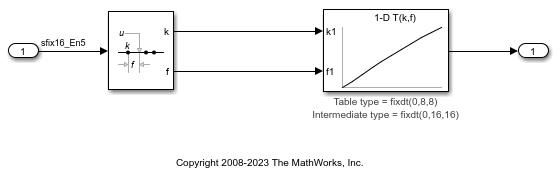
High Precision Calculations in Interpolation Block
Perform high precision calculations in the Interpolation Using Prelookup block using internal rules. The Interpolation block allows the data type for intermediate results to be set.

