Port
R2026bAdd ports to components in architecture model
Port block

Description
A port is a node on a component or architecture that represents a point of interaction with its environment. A port permits the flow of information to and from other components or systems. Component ports are interaction points on the component to other components. Architecture ports are ports on the boundary of the system, whether the boundary is within a component or the overall architecture model. The root architecture has a boundary defined by its ports. Assign interfaces to ports to define the type and format of data shared between components. For more information, see Assign Interfaces to Ports.
To add or connect System Composer™ components:
Add an architecture Component block from the Modeling tab or the palette. You can also click and drag a box on the canvas, then select the Component block.
To add a port, select an edge of the component and choose a direction from the menu:
Input,Output, orPhysicalClick and drag the port to create a connection. Connect to another component. You can also create a new component to complete the connection.
To connect Component blocks to architecture or composition model root ports, drag from the component ports to the containing model boundary. When you release the connection, a root port is created at the boundary.
To add stereotypes and stereotype-based styling to components, use the Profile Editor tool.
To add component-level parameters, use the Parameter Editor tool.
An output port is shown with the  icon, an input port is shown with the
  icon, and a physical port is shown with the
  icon.
icon.
Note
Physical ports are nondirectional and are used with Simscape™ physical modeling that implements a physical network approach. For more information about component behavior using Simscape, see Implement Component Behavior Using Simscape.
In software architectures, in addition to data input and output ports, you can add client and server ports to components. A client port represents a request for information from another component and a server port represents a response of information. For more information, see Service Interfaces Overview.
Examples
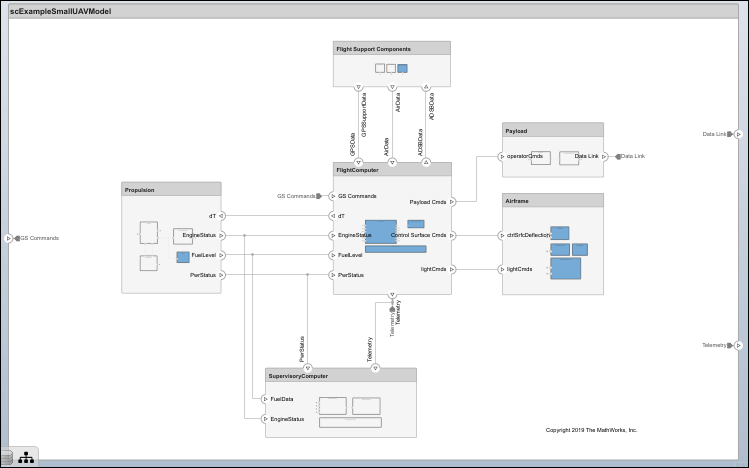
Modeling System Architecture of Small UAV
Set up and refine the architecture of a small unmanned aerial vehicle.
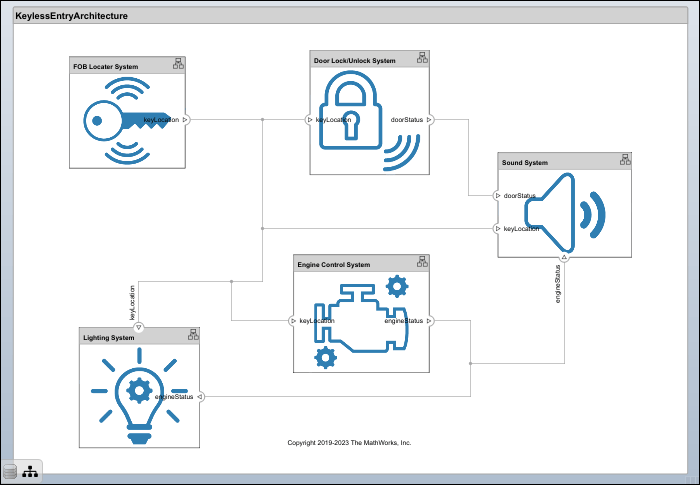
Modeling System Architecture of Keyless Entry System
Use a keyless entry system for a vehicle to create architecture views for different stakeholder concerns.
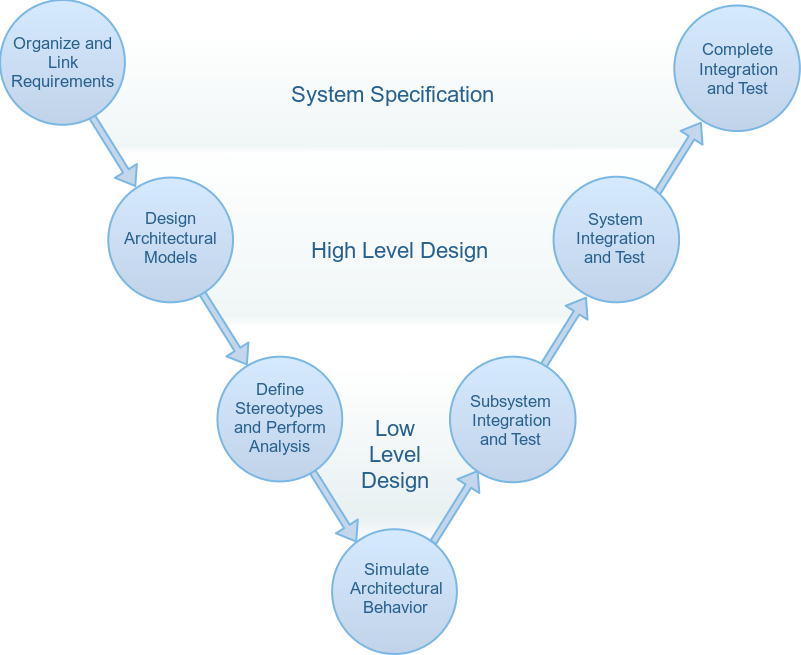
Simulate Mobile Robot with System Composer Workflow
Simulate a mobile robot architecture with a systems engineering workflow.
Ports
Input
Output
Physical
Server
Client
More About
Version History
Introduced in R2019a

