Simulate RoadRunner Scenarios with MATLAB and Simulink
R2026bAutomated Driving Toolbox™ provides a flexible framework for simulating scenarios RoadRunner scenarios with actors modeled in MATLAB and Simulink. In this framework, you can configure actors, define their behaviors, or create observers for scenario-level analysis:
Actors represent dynamic entities in a RoadRunner scenario, such as vehicles or pedestrians.
Behaviors define the logic that controls how an actor moves or reacts during simulation. You can author behaviors using MATLAB System objects or Simulink models.
Observers are special scenario-level analysis components which can read scenario states without modifying them during simulation. Unlike behaviors, observers exist only within MATLAB or Simulink and are not recognized by RoadRunner. The purpose of observers is to allow for custom computations, for example, visualization and runtime analysis of simulation data, such as detecting when vehicles exceed a speed threshold or get too close to each other.
This table outlines the roles of behaviors and observers, its purpose, workflow steps and implementation options:
| Simulation Role | Purpose and Workflow Steps | Getting Started Examples |
|---|---|---|
| Observer |
Use observers to only read scenario simulation states without modifying them and then perform runtime analysis of simulation data in MATLAB and Simulink
| Simulate RoadRunner Scenarios with Observers Modeled in MATLAB or Simulink |
| Behavior |
Use actor behaviors to control actors during the simulation and also read the simulation states.
|
After setting up either an observer or an actor behavior, you can simulate the scenario using the RoadRunner user interface, or control simulations programmatically from MATLAB.
If you are using actor behaviors to cosimulate a scenario, you can log simulation data, inspect simulation results from the log, and replay the scenario simulation using the saved simulation log.
You can also store the scenario simulation data in ASAM Open Simulation Interface (OSI)® file format.
For an overview of cosimulating RoadRunner scenarios using MATLAB and Simulink, see Overview of Simulating RoadRunner Scenarios with MATLAB and Simulink.
Functions
Blocks
 | RoadRunner Scenario | Define interface for Simulink actor model (Since R2022a) |
 | RoadRunner Scenario Reader | Reads selected topic from RoadRunner scenario (Since R2022a) |
 | RoadRunner Scenario Writer | Write selected topic to RoadRunner scenario (Since R2022a) |
Apps
| Bird's-Eye Scope | Visualize sensor coverages, detections, and tracks |
Topics
Set Up MATLAB Interface for Scenario Simulation
- Overview of Simulating RoadRunner Scenarios with MATLAB and Simulink
This topic describes workflows to create actor behaviors in MATLAB or Simulink, associate the behaviors with graphical actors in RoadRunner Scenario, start the scenario simulation in RoadRunner, and log simulation results for further analysis. - Connect MATLAB and RoadRunner to Control and Analyze Simulations
Use MATLAB with RoadRunner to control simulations programmatically and model actors in MATLAB or Simulink.
Add Observers to Scenario Simulation
- Simulate RoadRunner Scenarios with Observers Modeled in MATLAB or Simulink
Author observers as MATLAB System object™ files or Simulink models and add to a RoadRunner scenario.
Model Actor Behaviors for Scenario Simulation
- Simulate RoadRunner Scenarios with Actors Modeled in Simulink
Author RoadRunner actor behaviors in Simulink and associate actor behavior in RoadRunner. - Simulate RoadRunner Scenarios with Actors Modeled in MATLAB
Author RoadRunner actors as MATLAB System object files and associate behaviors in RoadRunner. - Simulate RoadRunner Scenarios with Traffic Signals in MATLAB
Simulate RoadRunner Scenarios containing traffic signal actors in MATLAB. - What Is a RoadRunner Pose Matrix?
Understand the position and orientation of a RoadRunner actor using its four-by-four pose matrix.
Add Sensors to Scenario Simulation
- Add Sensors to RoadRunner Scenario Using MATLAB
Simulate a RoadRunner Scenario with sensor models defined in MATLAB and visualize object and lane detections. - Add Sensors to RoadRunner Scenario Using Simulink
Simulate a RoadRunner Scenario with sensor models defined in Simulink and visualize object and lane detections. - Publish Ground Truth and Sensor Data from RoadRunner Scenario to ROS 2 Network (ROS Toolbox)
Publish ground-truth and sensor data from a RoadRunner scenario to ROS 2 network and visualize it using ROS Data Analyzer app. (Since R2025a)
Publish Actor Behavior, Custom Action and Events
- Publish Actor Behavior as Proto File, Package, Action Asset or Event Asset
Publish your Simulink or MATLAB System object actor behaviors as proto files, packages, action asset files or event asset files. - Publish Ready-to-Run Actor Behaviors for Reuse and Simulation Performance
Publish your Simulink or MATLAB System object actor behaviors with Matlab System blocks as ready-to-run packages to improve simulation performance.
Visualize Scenario in Unreal Engine 3D Viewer
- Simulate RoadRunner Scenarios with Actors Modeled in MATLAB and View in Unreal Engine Environment
Define custom actor behavior and visualize RoadRunner simulations in 3D usingsim3d.scenario.ActorBehaviorobject.
Featured Examples
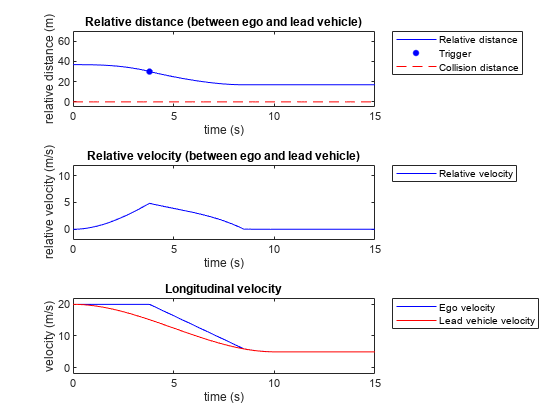
Speed Action Follower with RoadRunner Scenario
Design a speed action following actor behavior using MATLAB and cosimulate with RoadRunner Scenario.
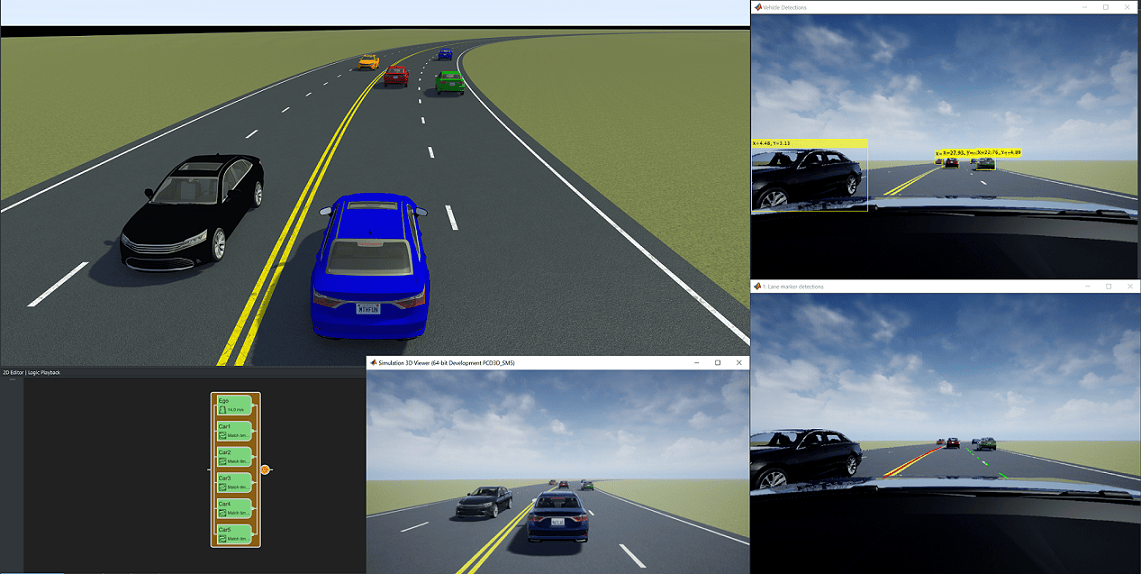
Highway Lane Following with RoadRunner Scenario
Simulate highway lane following application, designed in Simulink, with RoadRunner Scenario.
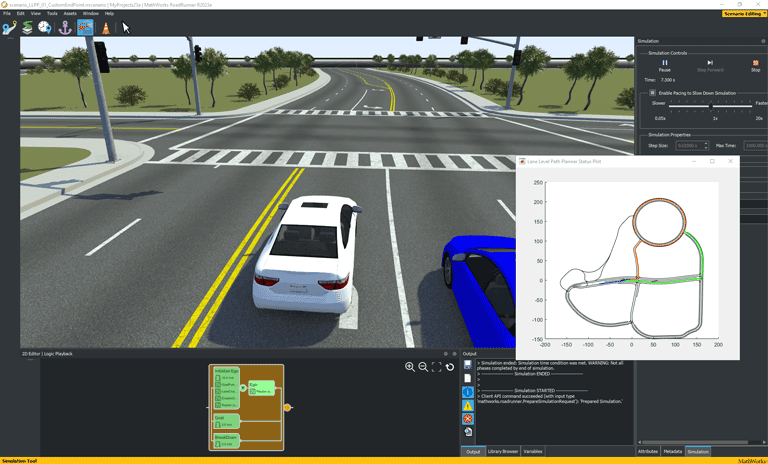
Lane-Level Path Planning with RoadRunner Scenario
Design a lane-level path planner in MATLAB and cosimulate with RoadRunner Scenario.
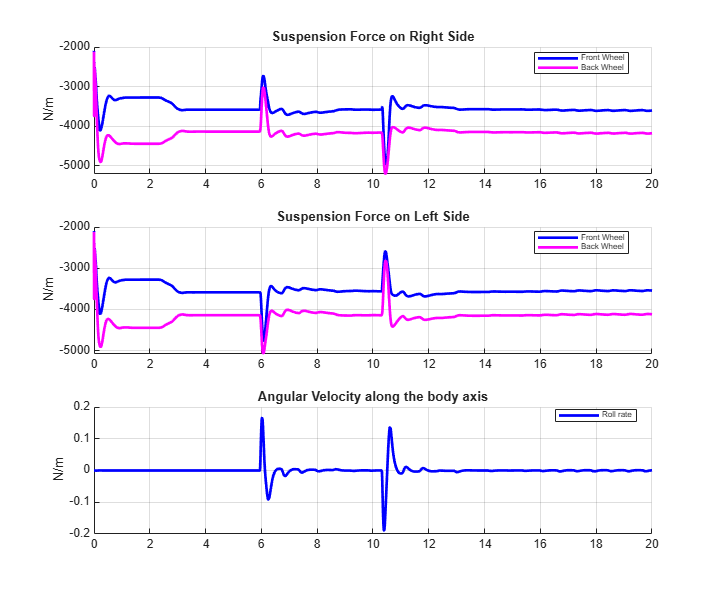
Lateral Offset Follower with High-Fidelity Vehicle Dynamics
Simulate a lateral offset action follower, designed in Simulink, with RoadRunner Scenario.
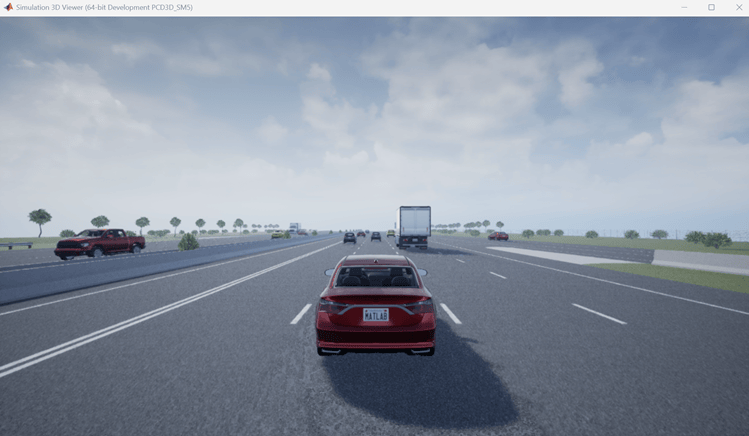
Trajectory Follower with RoadRunner Scenario and Simulink 3D Animation
Visualize trajectory follower with RoadRunner Scenario and Simulink using Simulink 3D Animation™.

