Get Started with Vehicle Network Toolbox
R2026bVehicle Network Toolbox™ provides MATLAB® functions and Simulink® blocks for sending, receiving, encoding, and decoding CAN, CAN FD, J1939, and XCP messages. The toolbox lets you identify and parse specific signals using industry-standard CAN database files and then visualize the decoded signals using the CAN Explorer and CAN FD Explorer apps. Using A2L description files, you can connect to an ECU via XCP on CAN or Ethernet. You can also access measurement data stored in BLF and MDF files and manage calibration parameters in CDFX files.
The toolbox simplifies communication with in-vehicle networks and lets you monitor, filter, and analyze live CAN bus data or log and record messages for later analysis and replay. You can simulate message traffic on a virtual CAN bus or connect to a live network or ECU. Vehicle Network Toolbox supports CAN interface devices from Vector, Kvaser, PEAK-System, and NI™.
Tutorials
- Toolbox Characteristics and Capabilities
Describes the kinds of tasks Vehicle Network Toolbox can perform and the hardware it supports. - Transmit and Receive CAN Messages
Discover CAN devices and communicate over a network. - J1939 Interface
J1939 is a high-level protocol built on the CAN bus that provides serial data communication between electronic control units (ECUs) in heavy-duty vehicles. - Vehicle Network Communication in MATLAB
Overview of the CAN communication workflow. - CAN Communication Workflows in Simulink
Common CAN model workflows. - XCP Hardware Connection
Diagram for connecting XCP client and server. - J1939 Channel Workflow
Diagram to transmit and receive J1939 parameter groups.
Features
Workflows
Featured Examples
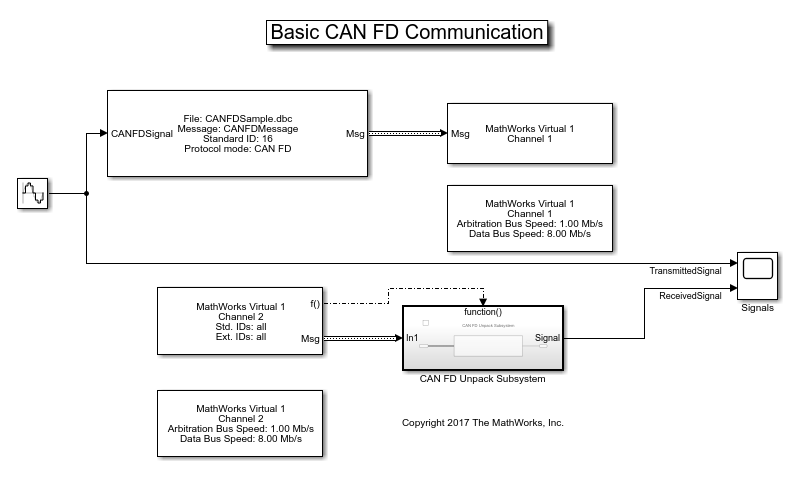
Get Started with CAN FD Communication in Simulink
Use MathWorks® virtual CAN FD channels to set up transmission and reception of CAN FD messages in Simulink®. The virtual channels are connected in a loopback configuration.
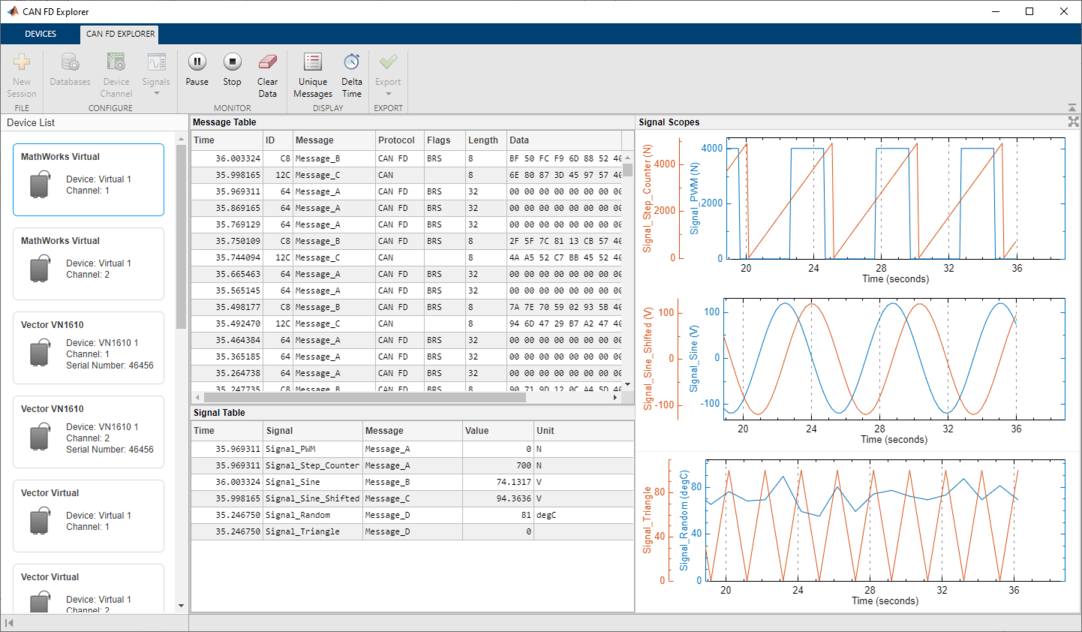
Receive and Visualize CAN FD Data Using CAN FD Explorer
Use the CAN FD Explorer app to receive and visualize CAN FD data.
Get Started with A2L Files
Access and view information stored in A2L files.
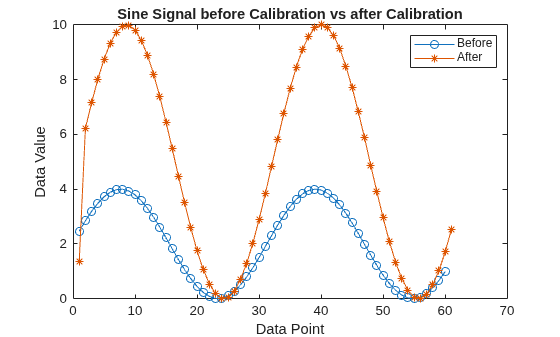
Calibrate XCP Characteristics
Use the XCP protocol capability to connect and calibrate available characteristic data from an XCP Sample server. The XCP Sample Server is specially designed for XCP examples only.
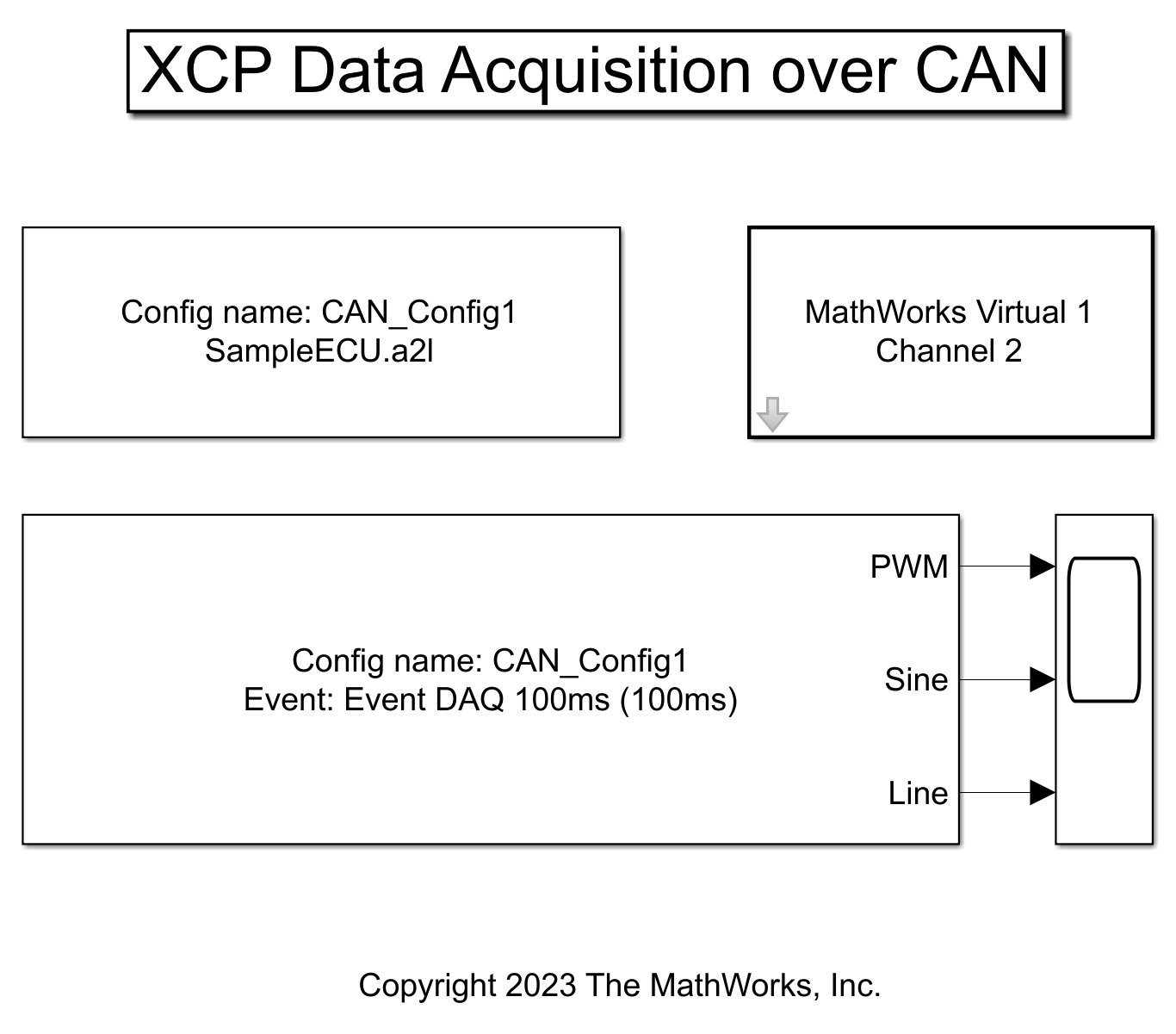
Perform XCP Data Acquisition in Simulink
Use XCP blocks to acquire measurement values in Simulink® from the XCP Sample server.
Get Started with J1939 Communication in MATLAB
Create and use J1939 channels to transmit and receive parameter groups on a J1939 network.
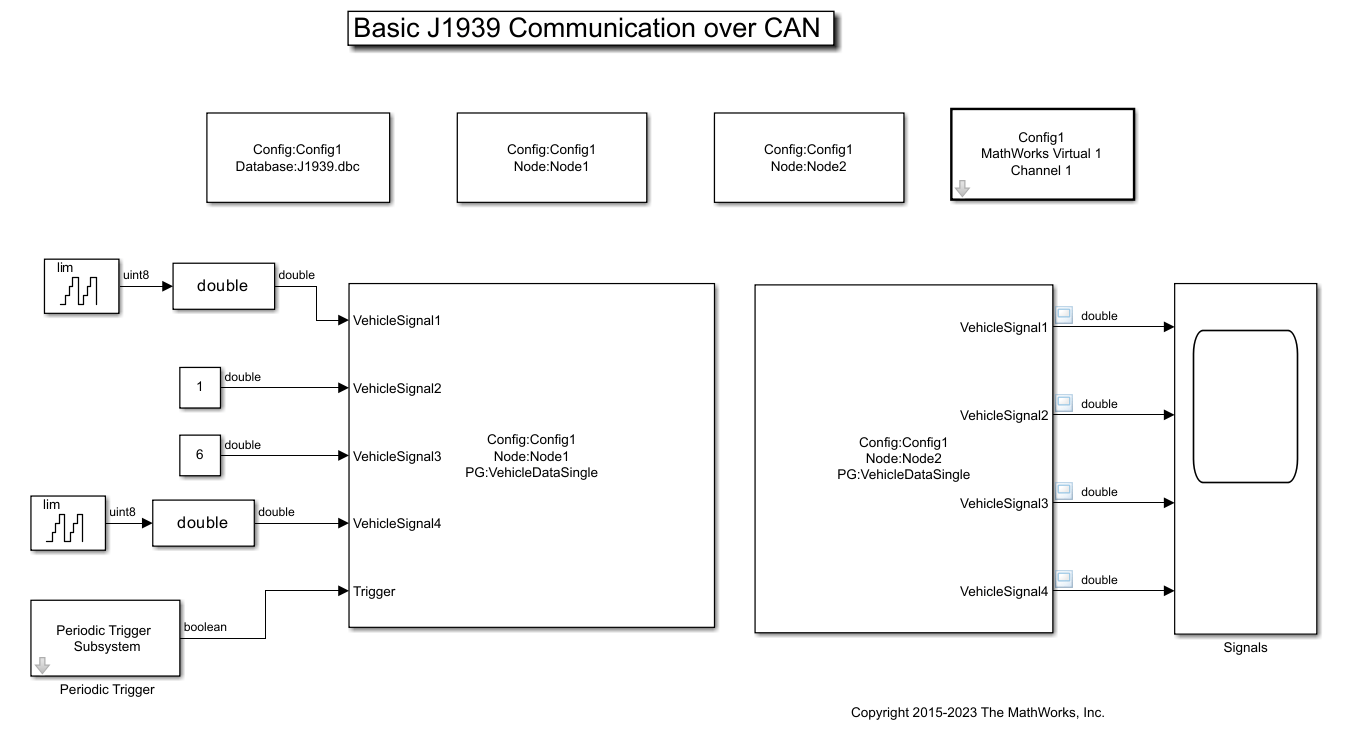
Get Started with J1939 Communication in Simulink
Send and receive J1939 Parameter Group (PG) messages in Simulink®.
Read Data from MDF Files
Read channel data from an MDF file.
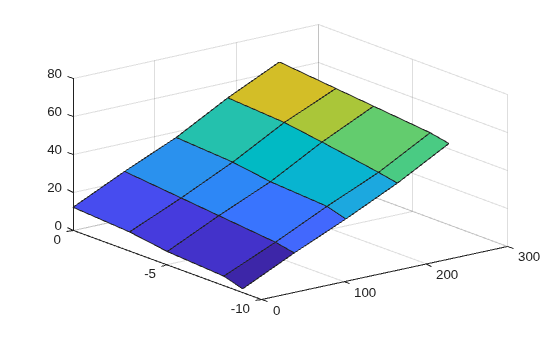
Get Started with CDFX Files
Import a calibration data file into MATLAB®, examine and modify its contents, and export the changes back to a file on disk.
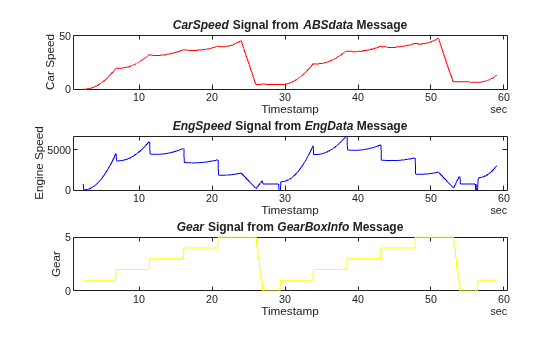
Decode CAN Data from BLF Files
Import and decode CAN data from BLF files in MATLAB® for analysis. The BLF file used in this example was generated from Vector CANoe™ using the "CAN - General System Configuration (CAN)" sample. This example also uses the CAN database file, PowerTrain_BLF.dbc, provided with the Vector sample configuration.

