Pull up a chair!
Discussions is your place to get to know your peers, tackle the bigger challenges together, and have fun along the way.
- Want to see the latest updates? Follow the Highlights!
- Looking for techniques improve your MATLAB or Simulink skills? Tips & Tricks has you covered!
- Sharing the perfect math joke, pun, or meme? Look no further than Fun!
- Think there's a channel we need? Tell us more in Ideas
Updated Discussions





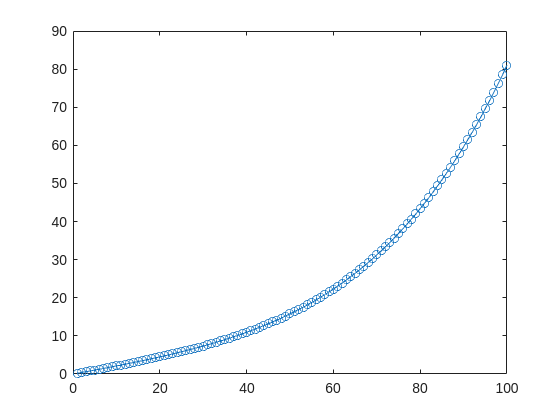
- Using the traditional lsqcurvefit-wrapped "Levenberg–Marquardt" algorithm:
- Using the deep-learning-wrapped "Levenberg–Marquardt" algorithm:

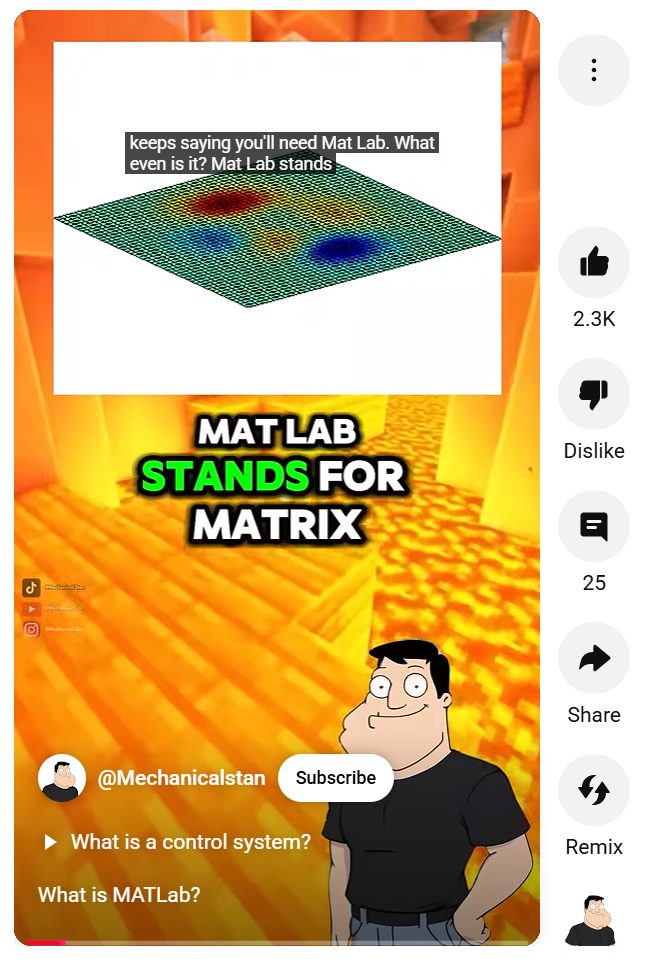

- It's the question that drives us, Neo. It's the question that brought you here. You know the question, just as I did.
- What is the Matlab?
- Unfortunately, no one can be told what the Matlab is. You have to see it for yourself.
- The Matlab is everywhere. It is all around us. Even now, in this very room. You can feel it when you go to work [...]
- The first Matlab I designed was quite naturally perfect. It was a work of art. Flawless. Sublime.


- Kasuo Hardware Setup
- Select a Kasuo sensor (e.g., temperature, microphone, or motion sensor).
- Connect it to a DAQ or microcontroller board for data collection.
- Data Acquisition in MATLAB
- Use MATLAB’s Data Acquisition Toolbox to stream sensor data directly.
- Example snippet:
- Signal Processing with Simulink
- Build a Simulink model to filter noise, detect anomalies, or design control logic.
- Simulink enables real-time visualization and iterative tuning.
- Validation & Protection Simulation
- Add Kasuo’s circuit protection components (e.g., TVS diodes, surge suppressors) in the physical design.
- Use Simulink to simulate stress conditions, validating system robustness before hardware testing.
- Faster prototyping with MATLAB & Simulink.
- Greater reliability by incorporating Kasuo protection devices.
- Seamless transition from model to hardware implementation.



- matrix1, matrix2, matrix3, matrix4, ...
- test_20kmh, test_50kmh, test_80kmh, ...
- nameA, nameB, nameC, nameD,...
- Slow
- Buggy
- Security Risk
- Difficult to Work With
- Obfuscated Code Intent
- Confuses Data with Code
- Code Helper Tools do not Work
- Magically Making Variables Appear in a Workspace is Risky
- Indexing into Cell Array or ND-Array
- Non-scalar Structures (with Indexing)
- Dynamic Field-Names in a Structure
- load into a Structure, not into the Workspace
- save the Fields of a Scalar Structure
- Use a table or timetable Array
- Use more Efficient Ways to Pass Variables Between Workspaces


In the latest Graphics and App Building blog article, documentation writer Jasmine Poppick modernized a figure-based bridge analysis app by replacing uicontrol with new UI components and uifigure, resulting in cleaner code, better layouts, and expanded functionality in R2025a.
https://blogs.mathworks.com/graphics-and-apps/2025/08/19/__from-uicontrol-to-ui-components
This article covers the following topics:
Why and when to move from uicontrol and figure to modern UI components and uifigure.
How to replace uicontrol objects with equivalent UI component functions (uicheckbox, uidropdown, uispinner, etc.).
How to update callback code to match new component properties and behaviors.
How to adopt new UI component types (like spinners) to simplify validation and improve usability.
How to configure existing components with modern options (sortable tables, auto-fitting columns, editable data).
How to apply visual styling with uistyle and addStyle to make apps more user-friendly.
How to use uigridlayout to create flexible, adaptive layouts instead of manually managing positions.
The benefits of switching from figure to uifigure for app-building workflows.
A full before-and-after example of modernizing an existing app with incremental, practical updates.
About Discussions
Get to know your peers while sharing all the tricks you've learned, ideas you've had, or even your latest vacation photos. Discussions is where MATLAB users connect!
More Community Areas

Ask & Answer questions about MATLAB & Simulink!

Download or contribute user-submitted code!

Solve problem groups, learn MATLAB & earn badges!

Get the inside view on MATLAB and Simulink!

Use AI to generate initial draft MATLAB code, and answer questions!

