Sinks
R2026bBlocks that log and visualize signal data, such as Scope, To Workspace,
Display, and Outport
Use blocks from the Sinks library to capture and display output data from your model. You can visualize signals on a scope during simulation, log data to the MATLAB workspace or to a file, or terminate unconnected output ports.
To add blocks from this library to your model, see Add Blocks to Models.
Blocks
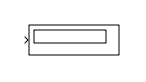 | Display | Show value of input |
 | Floating Scope and Scope Viewer | Display signals generated during simulation without signal lines |
 | Out Bus Element | Specify output of external port |
 | Outport | Create output port for subsystem or external output |
 | Record | View and log data to the workspace, a file, or both |
 | Scope | Display signals generated during simulation |
 | Stop Simulation | Stop simulation when input is nonzero |
 | Terminator | Terminate unconnected output port |
 | To File | Write data to file |
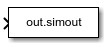 | To Workspace | Log data to workspace from Simulink model |
Tools
| Library Browser | Find and add blocks to model |
Topics
- Add Blocks to Models
Use the Library Browser and quick insert menu to insert blocks.

