Sources
R2026bBlocks that generate or load input signals for simulation, such as
Constant, Sine Wave, and From Workspace
Use blocks from the Sources library to provide input signals for simulation.
Generate signals in your model using blocks such as Sine Wave and Constant.
Load signal data from the workspace or a file using blocks such as Playback, From Workspace, From File, and From Spreadsheet.
Create and edit signals interactively using the Signal Editor block.
To add blocks from this library to your model, see Add Blocks to Models.
Blocks
 | Band-Limited White Noise | Introduce white noise into continuous system |
 | Chirp Signal | Generate sine wave with increasing frequency |
 | Clock | Display and provide simulation time |
 | Constant | Constant value |
 | Counter Free-Running | Count up and overflow back to zero after reaching maximum value for specified number of bits |
 | Counter Limited | Count up and wrap to zero after specified upper limit |
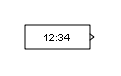 | Digital Clock | Output simulation time at specified sampling interval |
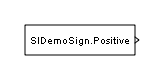 | Enumerated Constant | Generate enumerated constant value |
 | From File | Load data from MAT file into Simulink model |
 | From Spreadsheet | Read data from spreadsheet |
 | From Workspace | Load signal data from workspace into Simulink model |
 | Ground | Ground unconnected input port |
 | In Bus Element | Select input from external port |
 | Inport | Create input port for subsystem or external input |
 | Playback | Load data from workspace, file, or Simulation Data Inspector (Since R2022b) |
 | Pulse Generator | Generate square wave pulses at regular intervals |
 | Ramp | Generate constantly increasing or decreasing signal |
 | Random Number | Generate normally distributed random numbers |
 | Repeating Sequence | Generate arbitrarily shaped periodic signal |
 | Repeating Sequence Interpolated | Output discrete-time sequence and repeat, interpolating between data points |
 | Repeating Sequence Stair | Output and repeat discrete time sequence |
 | Signal Editor | Display, create, edit, and switch interchangeable scenarios |
 | Signal Generator | Generate various waveforms |
 | Sine Wave | Generate sine wave, using simulation time as time source |
 | Step | Generate step function |
 | Uniform Random Number | Generate uniformly distributed random numbers |
 | Waveform Generator | Output waveforms using signal notations |
Tools
| Library Browser | Find and add blocks to model |
Topics
- Add Blocks to Models
Use the Library Browser and quick insert menu to insert blocks.

